
Adding an overall percentage rate to quotes that varies according to certain criteria

Hi all,
Looking for a solution to make this process easier.
Essentially, when dealing with one particular venue, we have a standard rate for labour and a standard rate for equipment if the order is submitted 21 days in advance or earlier. We want to be able to add an overall percentage to the order if it's submitted after 21 days in advance, and another percentage if it's submitted after 48 hours in advance. I basically want it to work like a discount but adding instead of subtracting. Any ideas on how I could accomplish this?
-

Hi Lexy,
I can think of a few ways to achieve this, for example Fee Matrices or Pricing Models. If you want to get fancy, it could also be automated with some API scripting.
If this is something you would like help implementing, Square Wave is an endorsed Flex consultancy and customizations like this are right in our wheelhouse.
Reach out to hello@squarewave.com.au for an introductory meeting if you're interested!
Best,
Bigs
Square Wave - Endorsed Flex Consultant
www.squarewave.com.au -
Thanks Bigs,
A pricing model won't work in this case. We have mixed pricing models in our quotes. Some for labour, some for gear, some for trucking and some for lifts. We would have to make multiple pricing models and then there's a huge margin for error having to remember to switch them based on our date criteria. We want something more cohesive that works like an overall discount, but in this case it would be an added percentage instead of a subtracted percentage.
A fee matrix was something I was looking at possibly working for what we need. The trouble with the fee matrix, is it's not something we need for all situations all the time. We need it specifically for one venue some of the time, but I couldn't find a way to make that work that is...fool proof as it were. A reverse standard discount would definitely be the exact thing we need!
-
Lexy Davies challenge accepted!
CONFIGURATION
Create Payment Term(s)
Main menu > System Settings > Payment Terms > Create new
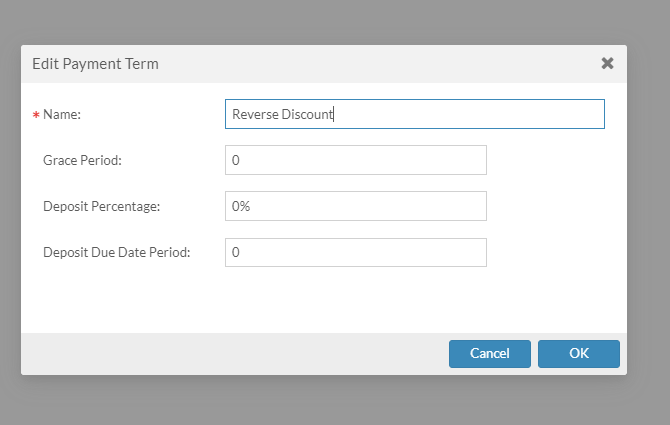
Name it whatever you want, selecting this will be the switch that turns on the reverse discount ("RD").
You can create multiple of these, for example if your standard terms options were In Advance / COD / 50NET30, you could create three new ones called "In Advance Rush" / "COD Rush" / "50NET30 Rush" or some other way to indicate that it's an expedited order which triggers the reverse discount.
There's no automatic way to select terms based on venue or lead time to event start, only based on client. Though I do have some "automation" workaround ideas detailed after these configuration steps.
Create Fee Matrix:
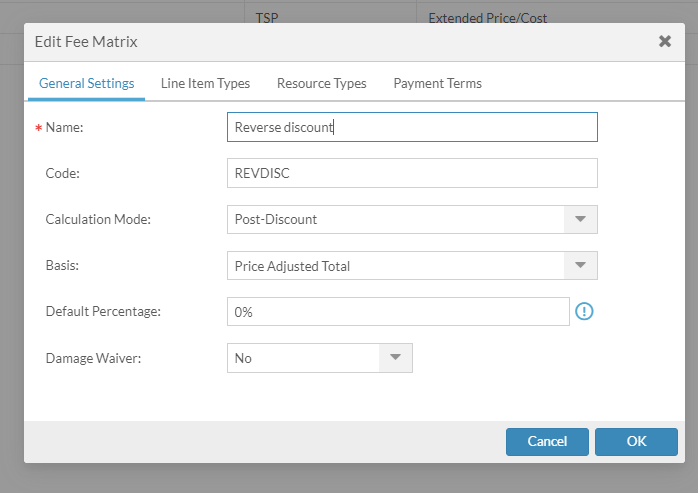
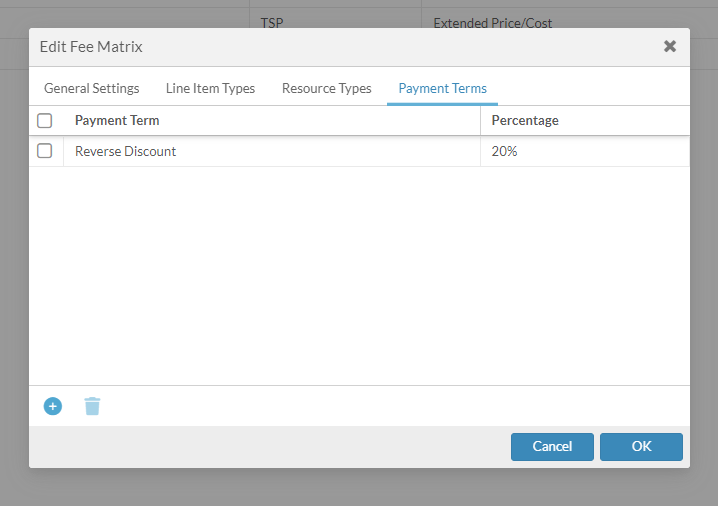
Add any Payment Terms that should be triggers into this tab
Also there is nothing configured in the Line Item and Resource Types tabs but if you only wanted the RD to apply to certain services or resource types, add them there to filter.
Add custom row to quote / invoice
Main menu > Projects > Element Definitions > Quote > Custom Rows > Add new
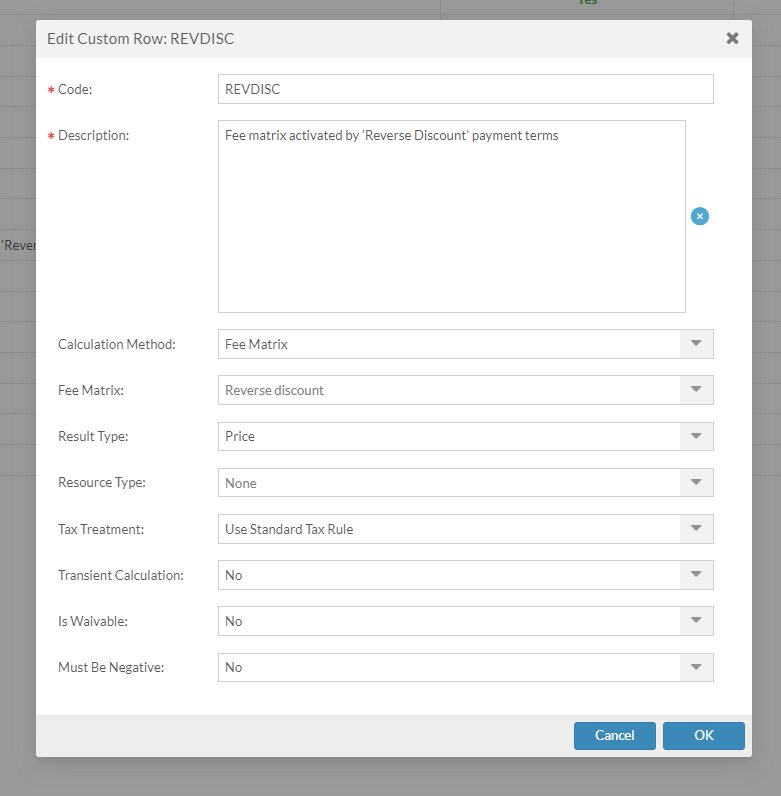
Add row to totals block
Main menu > Projects > Element Definitions > Quote > Views > Working View (or whatever you prefer) > Totals Block Rows > Add new

USAGE
- Create quote
- Add line items to create some pricing
- Set to a standard payment term - price is normal
- Set to a payment term which triggers RD - price is now increased by the reverse discount %
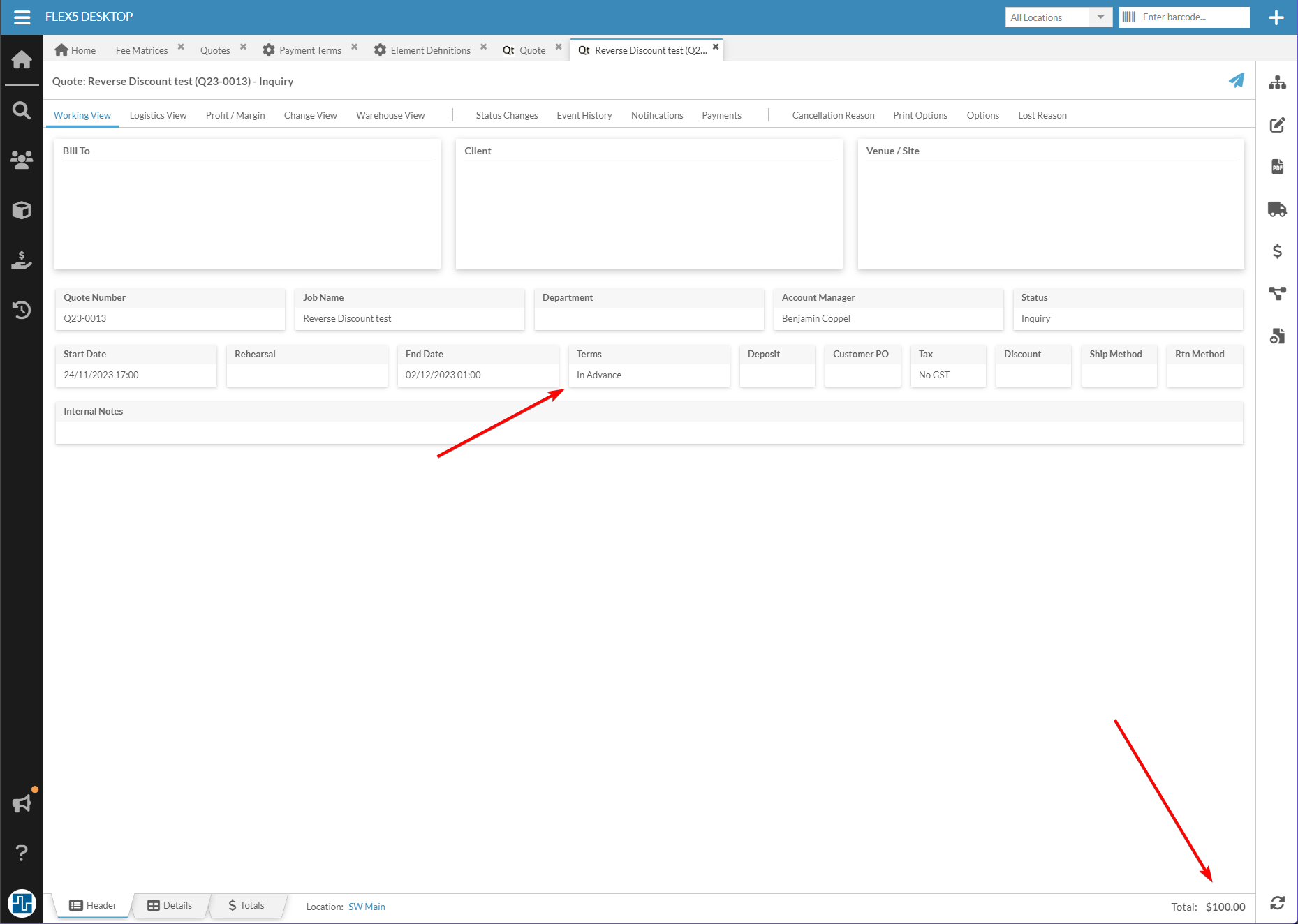
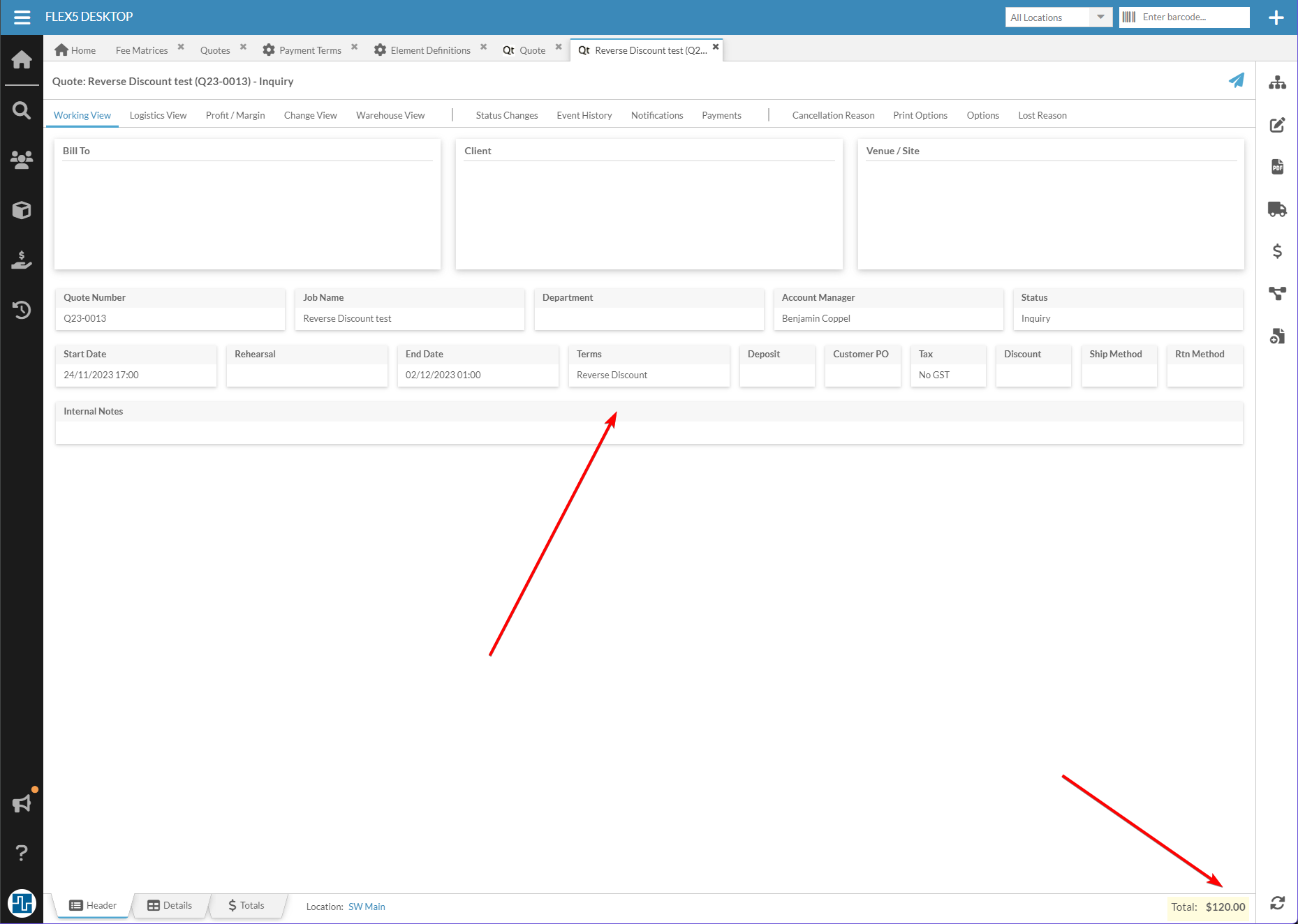
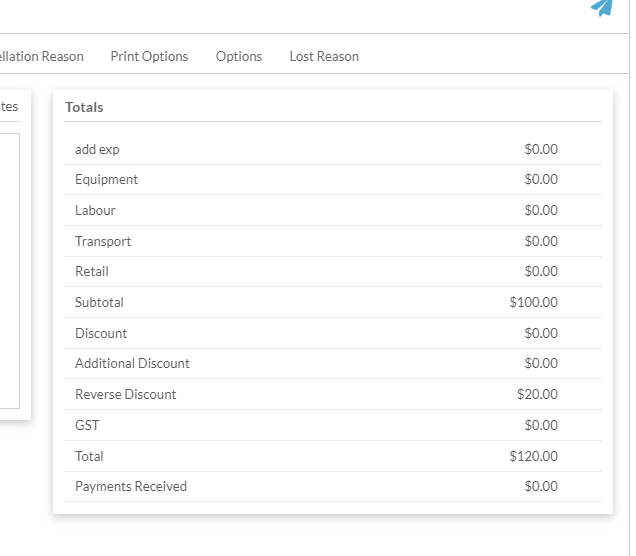
By adjusting the Fee Matrix / Custom Row settings, you should be able to get the RD working as desired with regards to sub-totaling, tax treatment, showing on quotes, etc. And of course it's probably best to name it "Expedited Service Fee" or something similar
"Automation" ideas
They're not true automation, but some software-based tools to help ensure this happens when it should. There are probably other ways of encouraging users to use this feature.
👋 Aaron Horn Randy - Flex Staff got any clever ideas?
Add double-check logic to quote report
Your quote / invoice report (whichever is relevant) could be customized to double check whether the RD has been activated when it should be. Some simple logic like the following would be added to the report:
If venue = xxx and quote_start_date is less than y days from today, check if reverse_discount is active on this quote. If not active, print a warning in the generated PDF instead of the quote itself.
Note: this would require the person generating the quote PDF to actually look at it before sending to the customer!
Project element warning notes
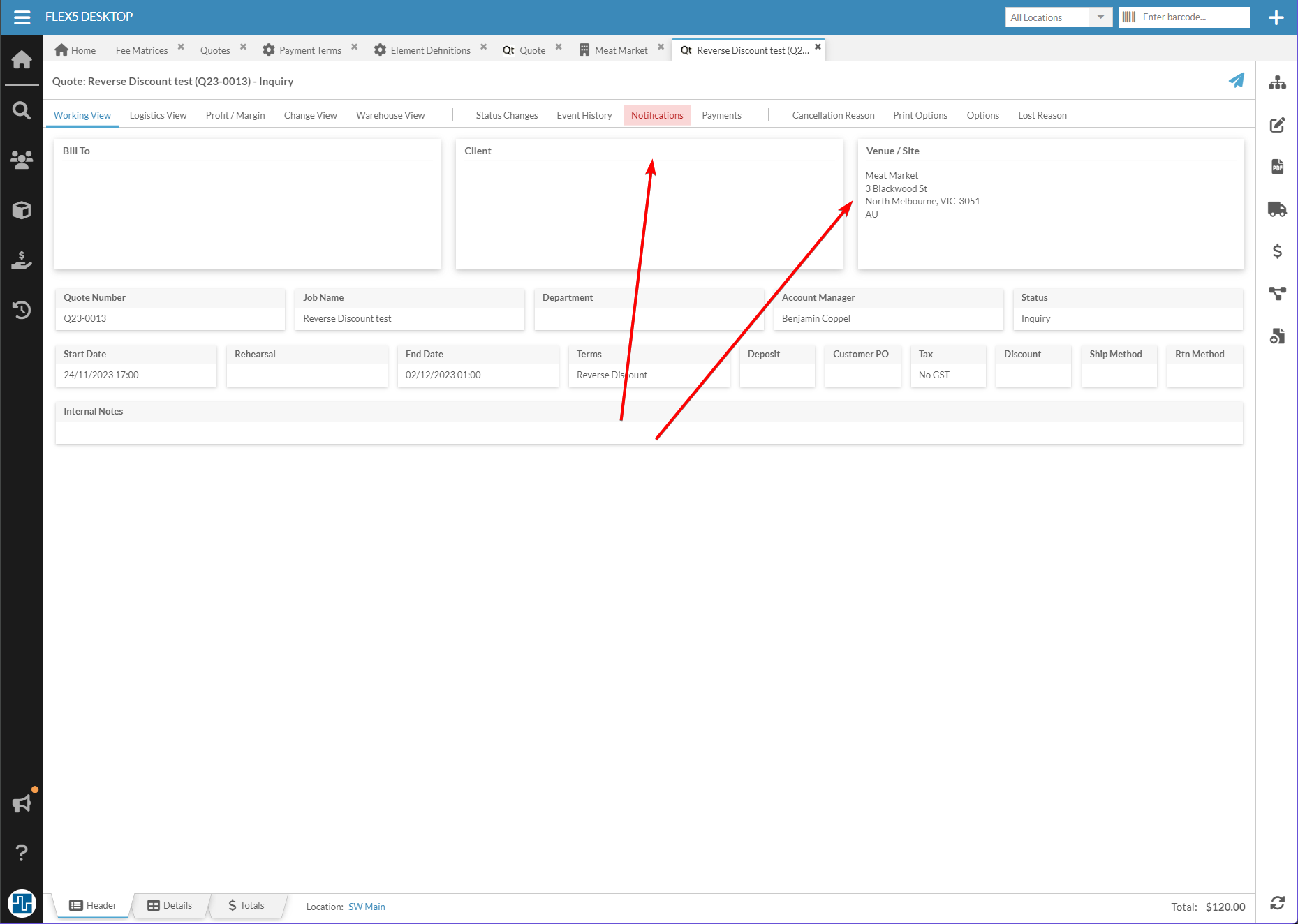
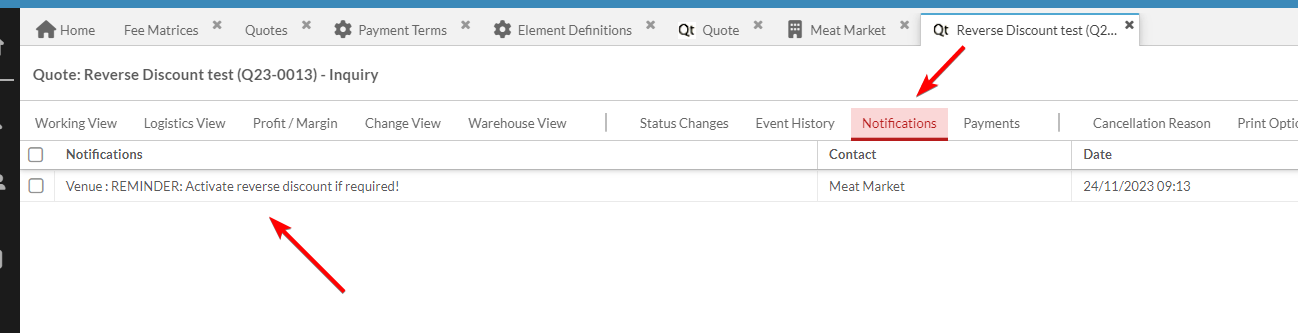
Flex can be configured to red flag the Notifications tab if there is a Note present on certain contacts. So you could add a note to the relevant venue contact which says "Double check if RD is required!" Then every time a user creates a quote with that contact in the venue field, the Notifications tab would be flagged red and the user would see the reminder when they opened the Notifications tab. If using this, instruct users not to click "Mark as read" on the notification - that will remove the red flag.
=====================================================================
Whew, that was fun! I hope this is helpful to you Lexy. Let me know if you need any further detail on any point above.
And don't hesitate to reach out to hello@squarewave.com.au if you would like any help implementing this, we'd be happy to assist.
Best,
Bigs
Square Wave - Endorsed Flex Consultant
www.squarewave.com.au -
Follow up - this works great! I had to make one minor tweak. If I used the "price adjusted total" setting in the fee matrix, it did some wacky math. My 15% increase was calculating at 17.07%. I ended up just setting it to "price" and that did the trick.
I'm going to show this to the greater group, and then we will look at the "automation" ideas you mentioned.
Please sign in to leave a comment.
Comments
5 comments