
Generating a PDF for Items not prepped

I was curious if there was a way to generate a PDF with items that hadn't been prepped that are being moved or "flipped" from one job to another. That way I can print it out and adhere it to say a case so others are aware of the items needing to be added to the the prep before it leaves the shop for show site.
-

Hi Brendon Badgley,
The Unprepped Equipment List provides that functionality. You may need to enable it on your Pull Sheet Definition. Once enabled, it's available as an Element report from a scanning screen, or the standard view of the Element.
-

Hey Brendon, I can supply a report like that. I've supplied many custom reports solutions over the years, so I should be able to get you what you need. My contact info is below. Send over some details so I can get you pricing. Thanks Brendon.
Aaron Horn
Flex Consultant (endorsed by Flex)
aaronjhorn@gmail.com -

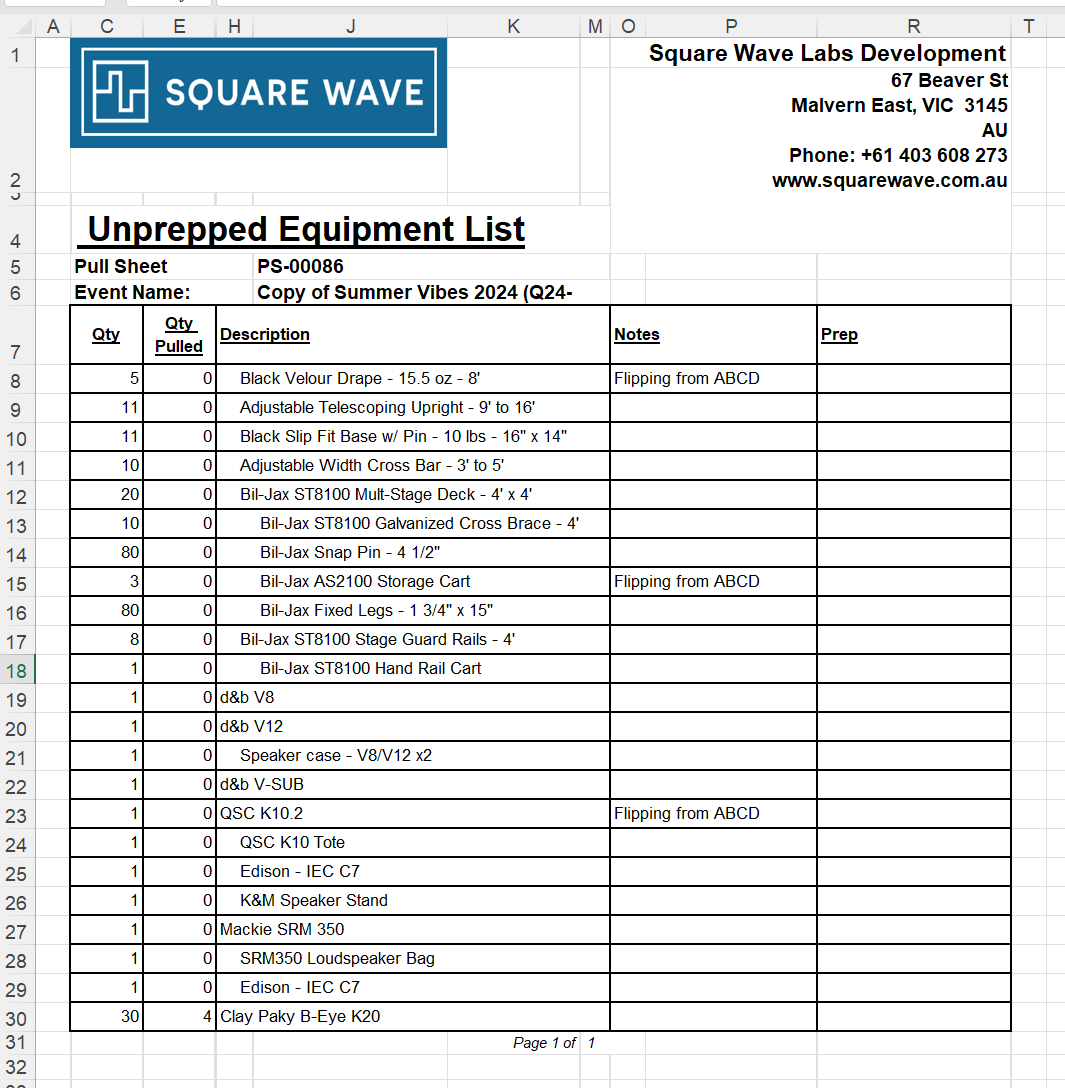
Hi Brendon Badgley there's no way built-in to Flex for it to know what gear is flipping from one job to another. But there is an "Unprepped Equipment List" report which can be run for a Pull Sheets.It shows all the items from a PS which are not prepped.

With that in mind, my recommended workflow would be to mark all of the items which are planned to flip, either by adding a note on the lines or grouping them all in a Virtual Group. Then when you generate the Unprepped Equipment List report you should be able to easily see which items are flipping and which were simply not prepped.
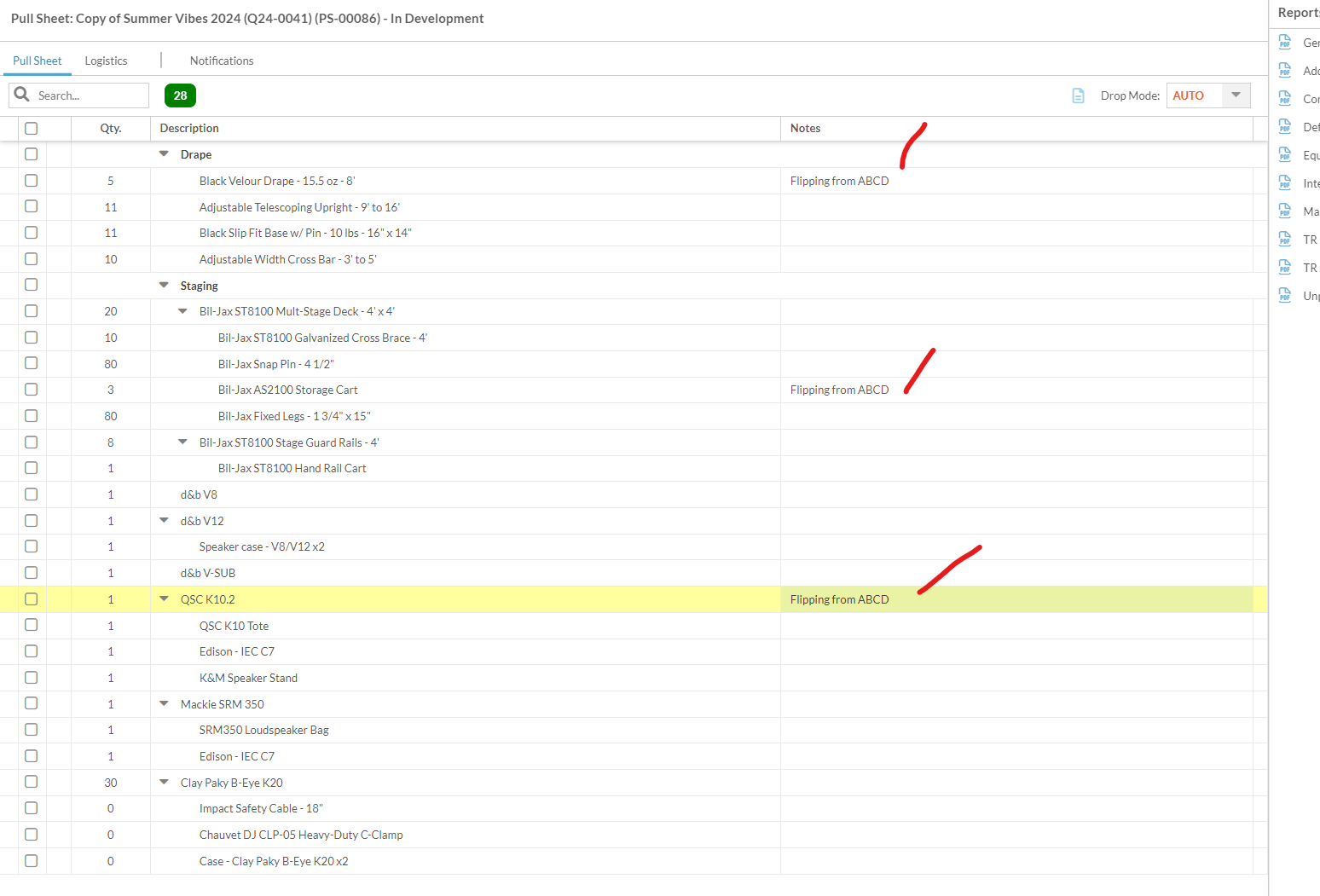
You could generate the report as Excel if you want to filter / modify the report before printing. Though fair warning it's not a "normal" spreadsheet", it's a a PDF rendered in Excel layout so lots of weirdly-sized columns etc.
If you wanted a slicker solution, a customized pull sheet report could provide some additional features. One would be auto-filtering - for example only print line items with the word "flip" in the note field and which are not prepped. It could even list all jobs containing the item in question which are ending within X hours before the start of this job. So it could show you which job(s) the gear is likely flipping from. Square Wave does tons of report customizations like this. Reach out to us at hello@squarewave.com.au if you're interested in something like that.
Best,
BigsSquare Wave - Endorsed Flex Consultant
www.squarewave.com.au
Please sign in to leave a comment.
Comments
4 comments