
Inventory Revenue Report

Hello,
I'm looking to see if there is a report similar to the Inventory Revenue Report but for Quotes and not Invoices.
Due to the long standing issue of not being able to invoice large multi-quote projects at once, many of our invoices are written custom with lines "see quote xxxxxx" with the total quote price in the line. This is also how the "create incremental invoice" function works, which we also use on the regular.
However, we have found over the last year or so that we cant use any of the built in revenue tracking functions or reports since they all for some reason are based on the line item lines from an invoice. Since we use the quote document as the core document for all our orders, It would be extremely helpful if there was a way to get revenue data from that document.
-

Hi Evan Bollentin,
So, the issue here is the way Flex differentiates between "budgetary" and "accounts receivable" elements. Quotes are typically the former, while Invoices are the latter. There are 2 solutions for this that I can think of off the top of my head.
The first is to switch the Accounting Type in the Accounting Options tab of the Quote Definition settings (Projects > Element Definitions) from Budgetary (B) to Accounts Receivable (AR). I know this has some other implications, but they might all work out in your favor if you never have "standard invoices." Meaning, there may be places in the system where we specifically look for AR elements and then your Quotes would be included there. The recently-added (or soon-to-be released) Dashboards feature is one such place. Certain ROI calculations might need a budgetary value to compare to a receivable value to calculate a return.
The second option is to request (or create) a custom report that uses one of the revenue reports as a starting point, but adjusts the data query to look at budgetary elements instead of accounts receivable, or even have a selectable Element Definition, thus targeting only the one you want to see. This solution has no side-effects.
-

Hi Evan Bollentin,
EDITED TO ADD: reference to Randy's more accurate explanation above.
Yes you can enable this for Quotes, but further changes are required to get this report doing what you want. See Randy's post above for details.
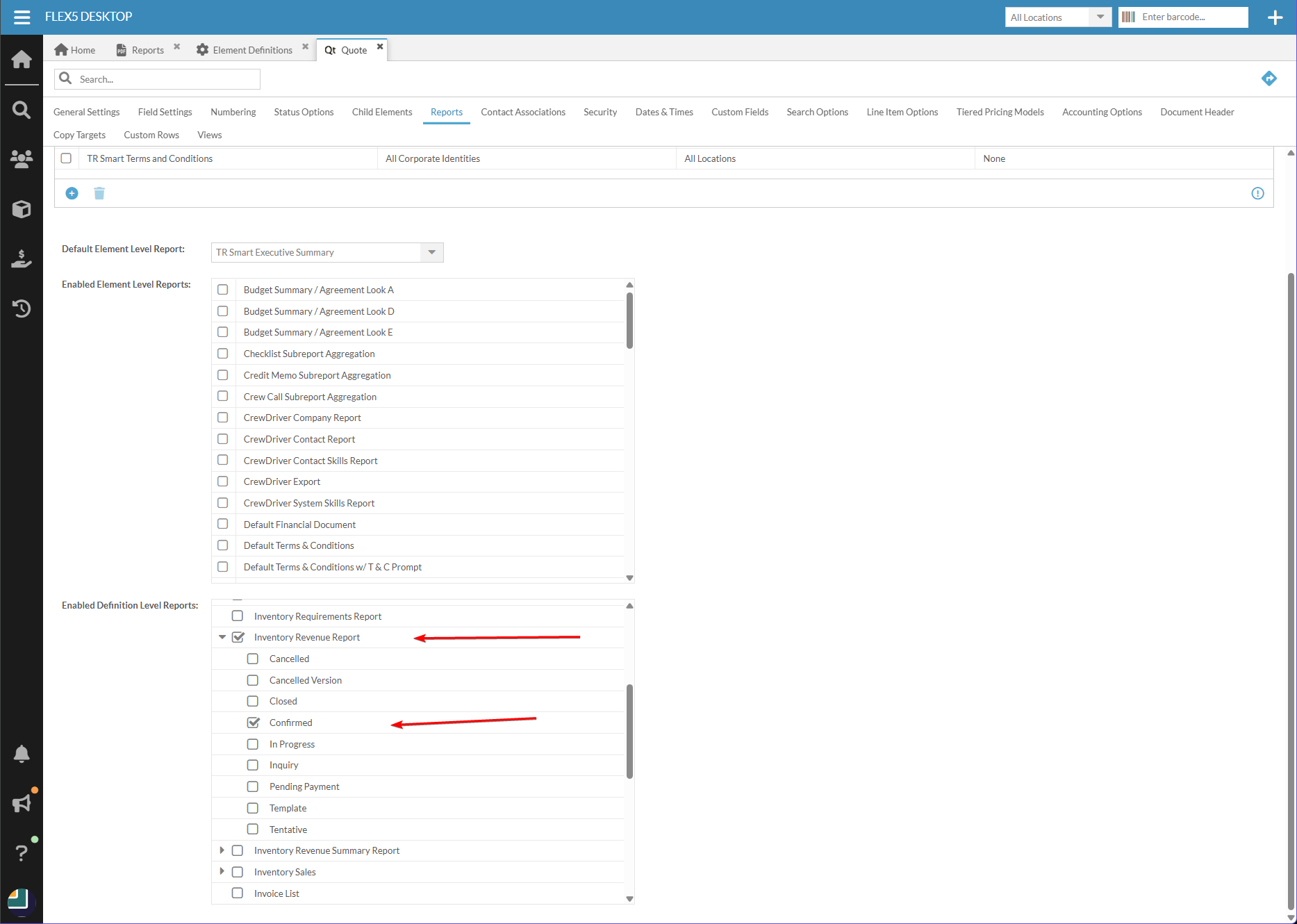
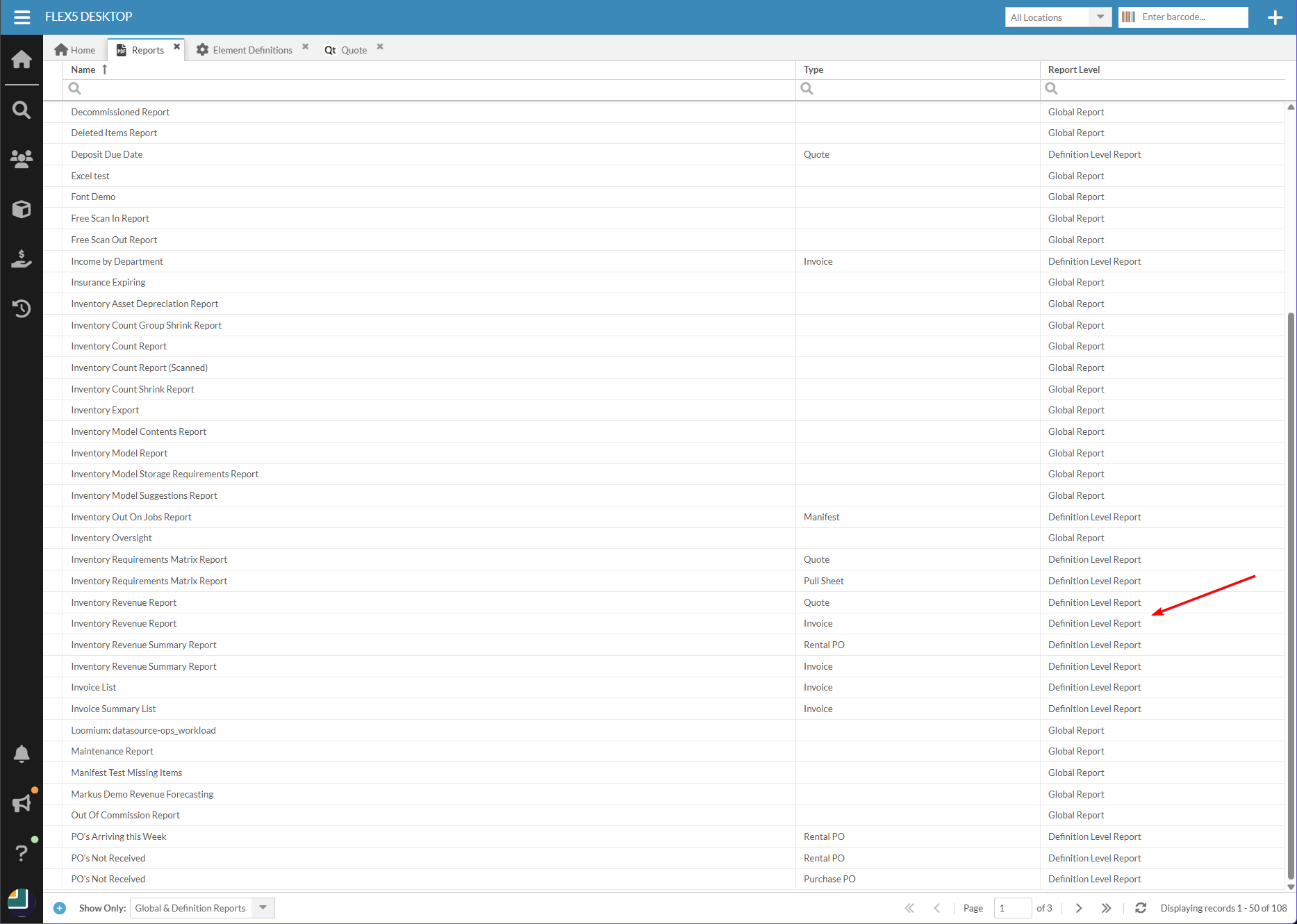
But "Definition Level" reports can be enabled for different project element definitions of the same class (i.e. financial documents vs equipment lists).Go to main menu > Projects > Element Definitions > Quote > Reports tab > 'Enabled Definition Level Reports' section. Then select the 'Inventory Revenue Report' and expand it to select the Quote statuses you would like included in the report.
If you wanted a customized version of this report made, Square Wave can definitely help with that. We have developed many custom financial reports for Flex users, with some nice features. For example the files are typically Excel spreadsheets with locked headers, column filters, and actual formulas or number values in the cells rather than text strings.
Regarding the issue of not being able to invoice multi-quote projects, we have created an Invoice Summary report which allows you to generate a single invoice PDF from an Event Folder with multiple Quotes inside. This solution works well for many of our customers - you can see it on our website, and reach out to hello@squarewave.com.au if you'd like more information.
Cheers,
Bigs
Square Wave - Endorsed Flex Consultant
www.squarewave.com.au -

Randy RAGLIN Flex Staff I have a follow-up question on this topic.. Hopefully not forum sliding here as I think it's the same core issue..
I have the Inventory Revenue Report enabled for quotes in my system but I'm noticing that the 'Actual Revenue' column returned includes Total Muted items. If I follow your instructions above, will that give me accurate actual revenue? If not, is there a work around that will give me actual revenue per inventory group? -
The steps above are non-standard and typically not recommended. I've looked into both the Inventory Revenue Report and Inventory Revenue Summary Report and found that both are ignoring the fact that a line may be total muted. I'm not sure if there's a good reason for that, so I'm checking with the product team and will work the issue from that direction. The only real workaround is to fix the query in the report.
Please sign in to leave a comment.
Comments
5 comments