
ROI Total, and turning on reports

Hello,
Scoured both forums and the help centre, and could not find the answer to this anywhere:
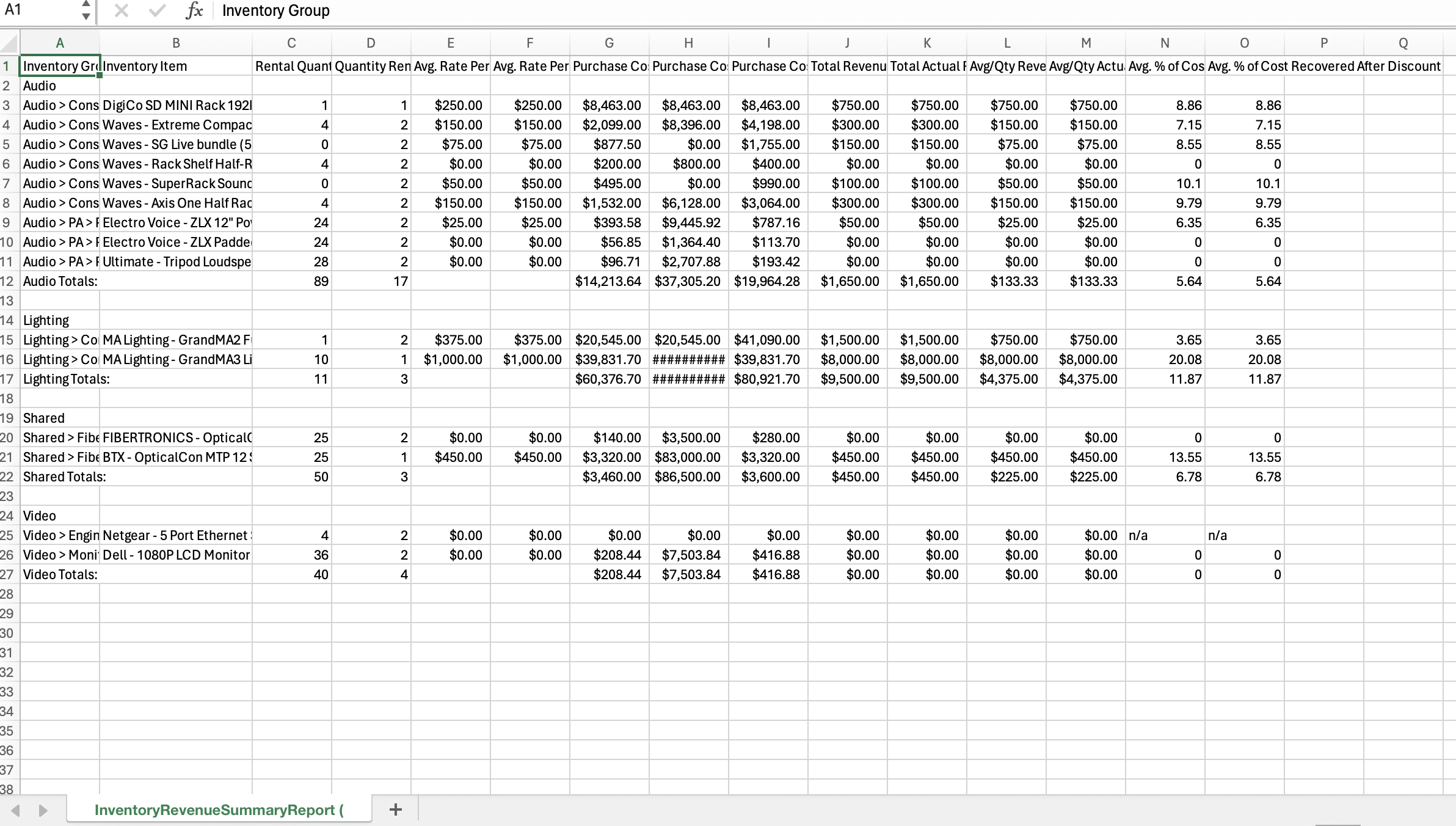
In our ROI-Revenue screen, there is no total given for revenue for a given item. It will list all the instances of that product moving, and how much revenue it made in each instance of it going out, but we have to add those all up manually to get a total.
Also, I read on the old forum that there is a "inventory revenue" report, but I can't run it from anywhere. In that old forum post, a user mentioned it needed to be turned on, but I couldn't figure out how to turn on that report. Nothing in report preferences seems to do it; can't figure it out.
Thanks All
-

Hi Chris-
Projects > Project Elements > Invoice > Reports
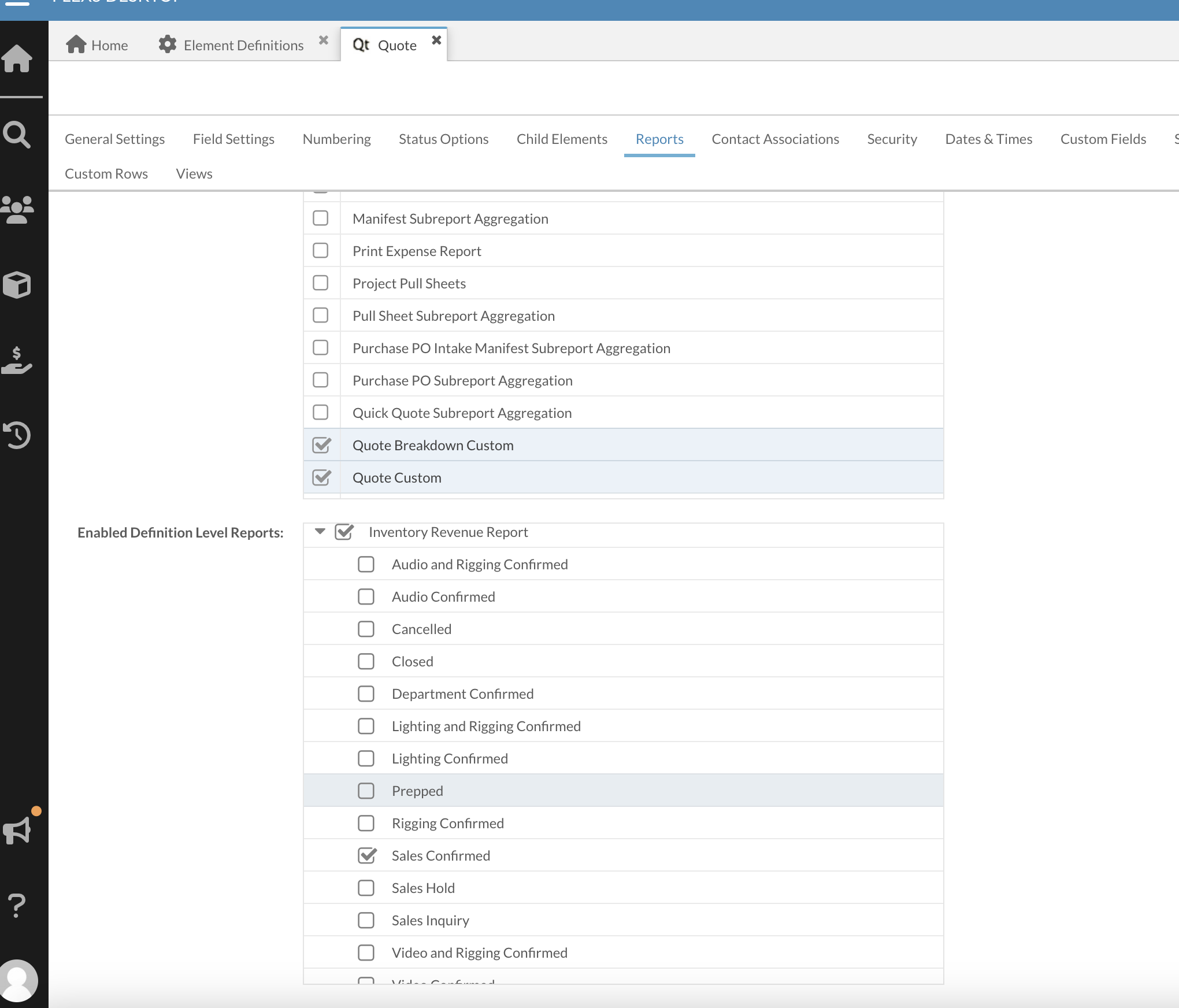
Scroll down to the Definition Level Reports section. There you can enable the Inventory Revenue report for your desired statuses.
If you don't invoice in Flex, you can do this for quotes instead.
Hope that helps!
Cheers,
Bigs
Endorsed Flex Consultant / Custom Report Developer
bigs@squarewave.com.au
www.squarewave.com.au -

hmm, I tried to do this just now, it say dimensions of page are out of range, content might be truncated,
so then I tried to do excel instead of pdf, and it said corrupted data and wouldn't create/open the document.any thoughts? it was only a single group of inventory for the last 3 months. Jan- now.
-
Hi Robert Warren,
I'm not sure about that. I was just able to run it on my system. Probably best to email Flex support with the exact steps of what you were doing so they can replicate the issue and help you resolve it.
Best,
Bigs
-

Hey Garry Brown
Start by heading over to Projects > Element Definitions > Quote. Once there, click on the Reports tab. You'll see two big sections at the bottom: one for Element Level reports and the other for Definition Level reports. In the Definition Level Reports section, make sure to check the option for the Inventory Revenue Report. After that, you'll be able to run this report directly from the Reports tab in the Main Menu. Don't forget to take a peek at the second column to confirm if it's about quotes or invoices. Hope this helps!
Jacob Wise - Training Specialist
-

Hey Garry Brown, make sure you've selected the correct statuses as that may be limiting the amount of data.
In regards to running it from the Manifest, Inventory Revenue reports only work with financial documents. Are you asking because you need a more utilization oriented report? This may require a custom report, and utilization reports are ones that I've provided to customers. If you're wanting financial information associated with manifest items, it's possible, but is tricky and usually has some vulnerabilities.
Let me know if you need a custom report or a custom version of an existing report, like the "Inventory Revenue" reports.
-

Hey Aaron,
Thanks for the reply. Yes we need utilization reports attached to money and real usage. We need one as a summary to part and one at barcode level. The manifest is the only correct list for utilization of all gear in our stock, but as you said there is no money attached to it, so yes a custom report will most likely be required.
I did email you Tuesday, maybe it went tor your junk folder.
Garry
Please sign in to leave a comment.
Comments
11 comments