
Need help backtracking location of inventory in containers

I have a NON-serialized model inventory item with a qty of 12 which 2 are assigned as permanent content to a serialized model inventory item.
How can I backtrack and find out what containers my NON-serialized models are in?
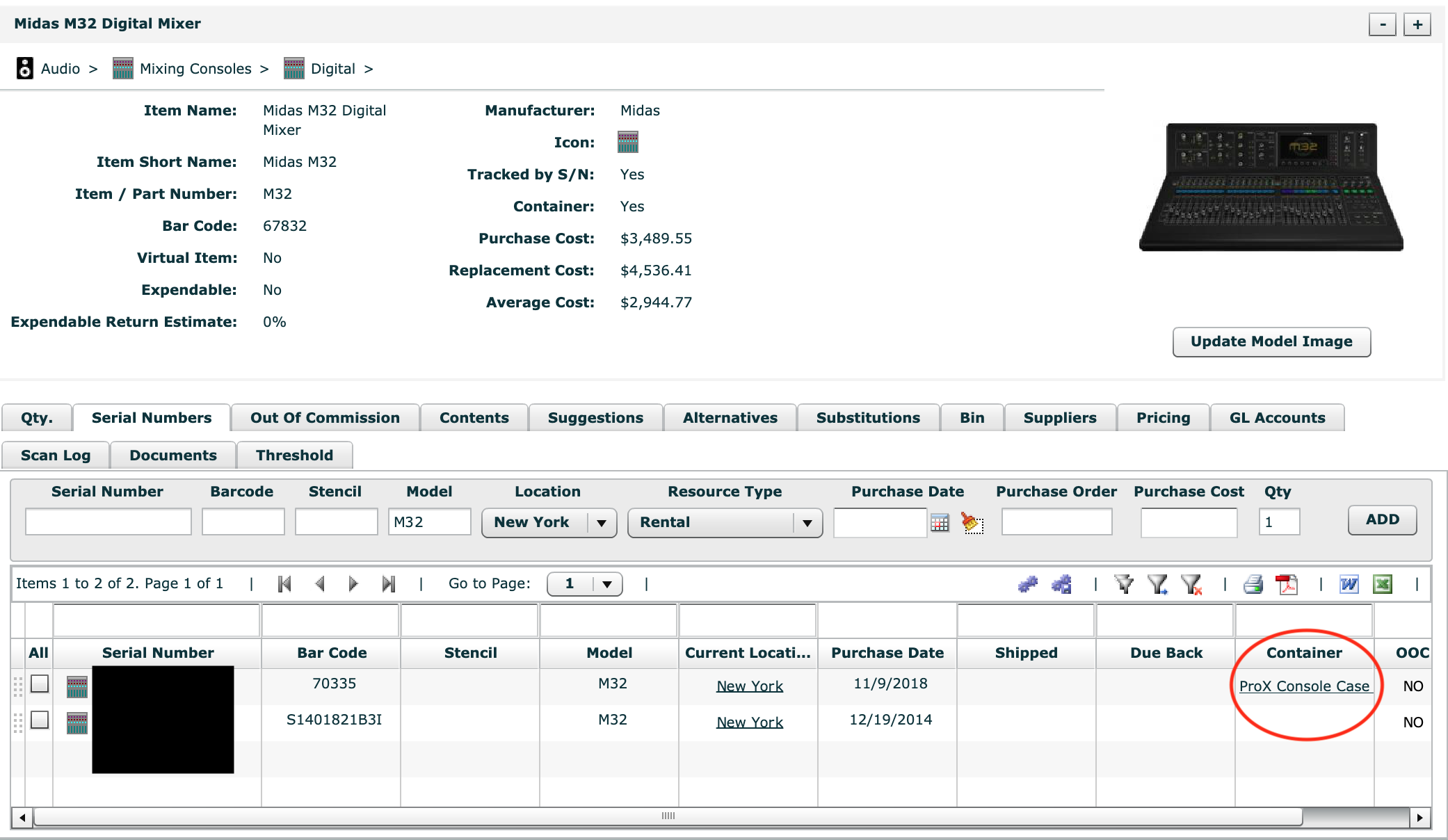
This is easy to accomplish with Serialized items as the serial numbers tab shows a link to the other items they are assigned to.

-
Official comment

Kyle-
Unfortunately, that is not available currently.
This is partially a limitation of the non-serialized model but I do understand that the data does exist of where they are just not which one is where. There is a request to add a tab that lists all of the cases that these exist in. I can't give any timeline on the possibility of that other than not until after the main Flex 4 to Flex 5 transition is complete.
Comment actions -

Kyle Walker, let me know if you would like to pursue this as a custom report that can be run at any time. I'm endorsed by Flex and have developed many custom reports for clients. Thanks Kyle.
Aaron Horn
Consultant (Flex endorsed)
aaronjhorn@gmail.com
615.335.1225 -

Hello, our company is currently having the same issue mentioned in the screen shot above.
It is 2 years later and there seems to be no adjustments on this issue.
This item in our inventory was never put into a container and we can't figure out why it reflects otherwise.
Will there be an update to fix this issue?

-

Kyle Neff Kyle Walker all items which are in containers are listed in the Serialized Container Report, including non-serials.
Main menu > Reports > Serialized Container Report. Then just search the PDF for the relevant barcode and it will show the parent container.
Hope that helps!
Cheers,
Bigs
Flex Consultant
www.squarewave.com.au
Please sign in to leave a comment.
Comments
5 comments