
Trying to get a Barcode label to Print the 'Phase - Ø' Symbol

Hi All,
I'm having an issue trying to get the Phase 'Ø' symbol to print on a barcode label. Has anyone else had this problem and did they have a fix for it?
I'm not sure if this is covered by support so trying in here first!
It prints correctly on all regular pdfs so I'm pretty sure this is all down to a unicode/code 850 or whatever it is etc mis-match with the barcode printer (a Brady BBP-12) but i'm struggling to get any where with fixing it.
If i use the Printers own software it has no issues printing the Ø symbol on its labels.
If i Print direct from Flex and use a label designed with Zebra software (then imported) i get the top result and if i use a label designed in Flex i get the bottom result.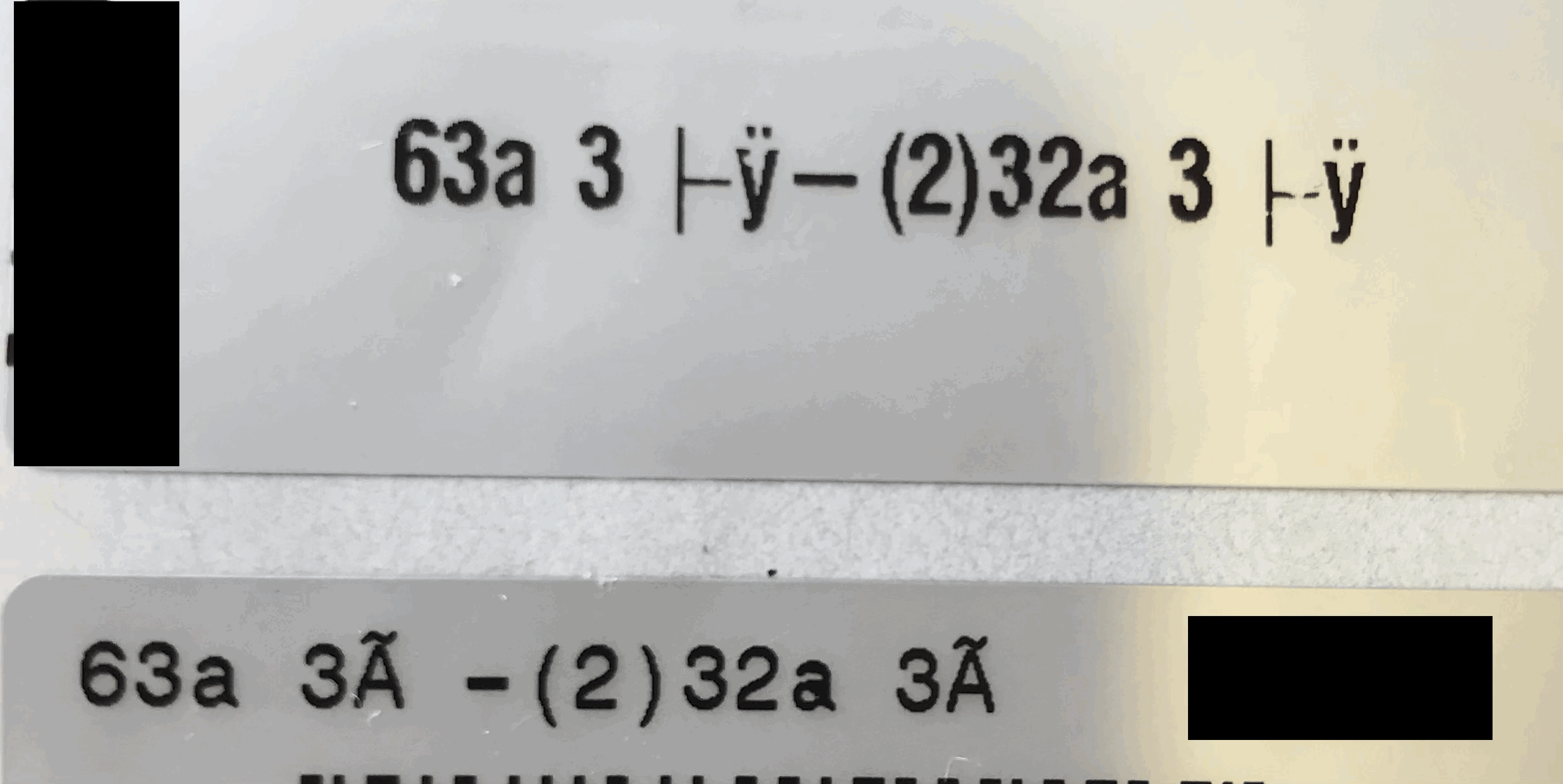
Any help would be appreciated
Thanks
-

Hi Nick!
I haven't implemented this at our end (we don't use the symbol in our 3 phase cable).However; a quick test has suggested that your ZPL language would need to be set as ^CI28 (for UTF+8).
From there, the UTF+8 code for printing the phase is " _C2_A1"
(prior to the ^FD [field data], you need to include ^FH [Field Hexadecimal Indicator]
If you jump on labelary.com and try the following snippet, you should get the result.
^XA
^CI28
^CF0,60
^FO,10
^FH^FD_C3_B8^FS
^XZ
You could then set a custom version of the name with that parameter embedded in the "Barcode Label Field" on an item, and encode that in ZPL using "[element.barcode.label]"
Just tested here and works perfectly!
Please sign in to leave a comment.
Comments
2 comments