
Phone number in Rental PO

I am having trouble with my vendor info, the phone number, not transferring to the Rental PO. I have added it to both the company and the employees related to that company and it does not seem to go to the PO when created. We have to manual put it in the header on the PO.
What am I missing? A setting somewhere?
-

Hi Kelly-
The contact information that shows in the header can be configured per project element.
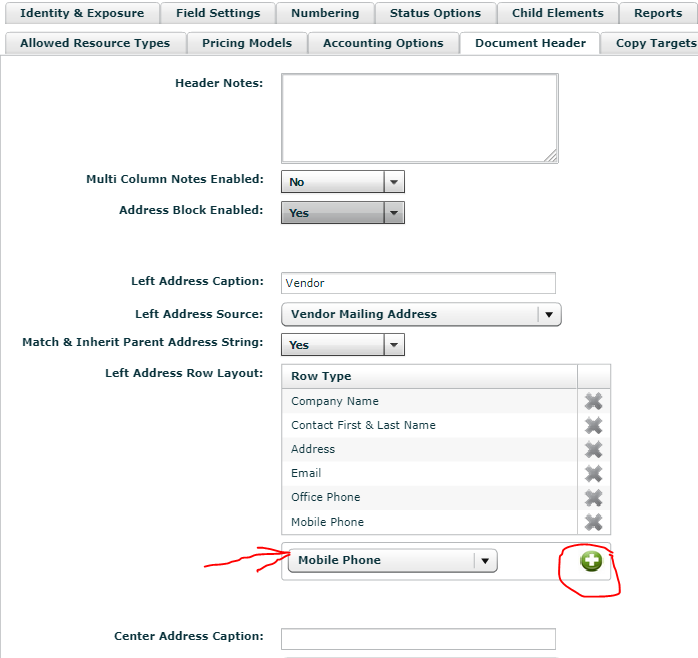
Go to Projects menu > Project Elements > Rental PO > Document Header tab
As shown in the screenshot below, you can add rows to the Vendor address box using the drop-down menu and + button. Don't forget to hit update when you're finished.
Note - this will probably not change the information in your existing Rental POs. To get those to update, try dragging the contact into the Vendor box again. If that doesn't work, drag a different contact into the box, then the original contact into the box (forces it to update). That should do it.
I hope that helps!
-Bigs
Endorsed Flex Consultant
Iniciar sesión para dejar un comentario.
Comentarios
1 comentario