
Conflict Resolution Pop-Up for for 0.27.35

The release notes for version 0.27.35 state the following was implemented:
- Implemented the conflict resolution popup (click the "..." menu on a line with conflicts, then click Conflicts).
Either I'm not seeing this function work or I'm not clear on what this implementation means. I believe (and I'm very hopeful) that this implementation should give us access to conflict resolution tools available in Flex 4. Is that correct???
-
Official comment

Hey Flexers!
Excellent Questions!
So currently (0.27.35) the implementation of the conflict resolution popup can be utilized to resolve shortages by creating Purchase POs, Creating (cross) Rental POs, or replacing the short inventory line items with in-stock substitutions or alternatives, per the image below.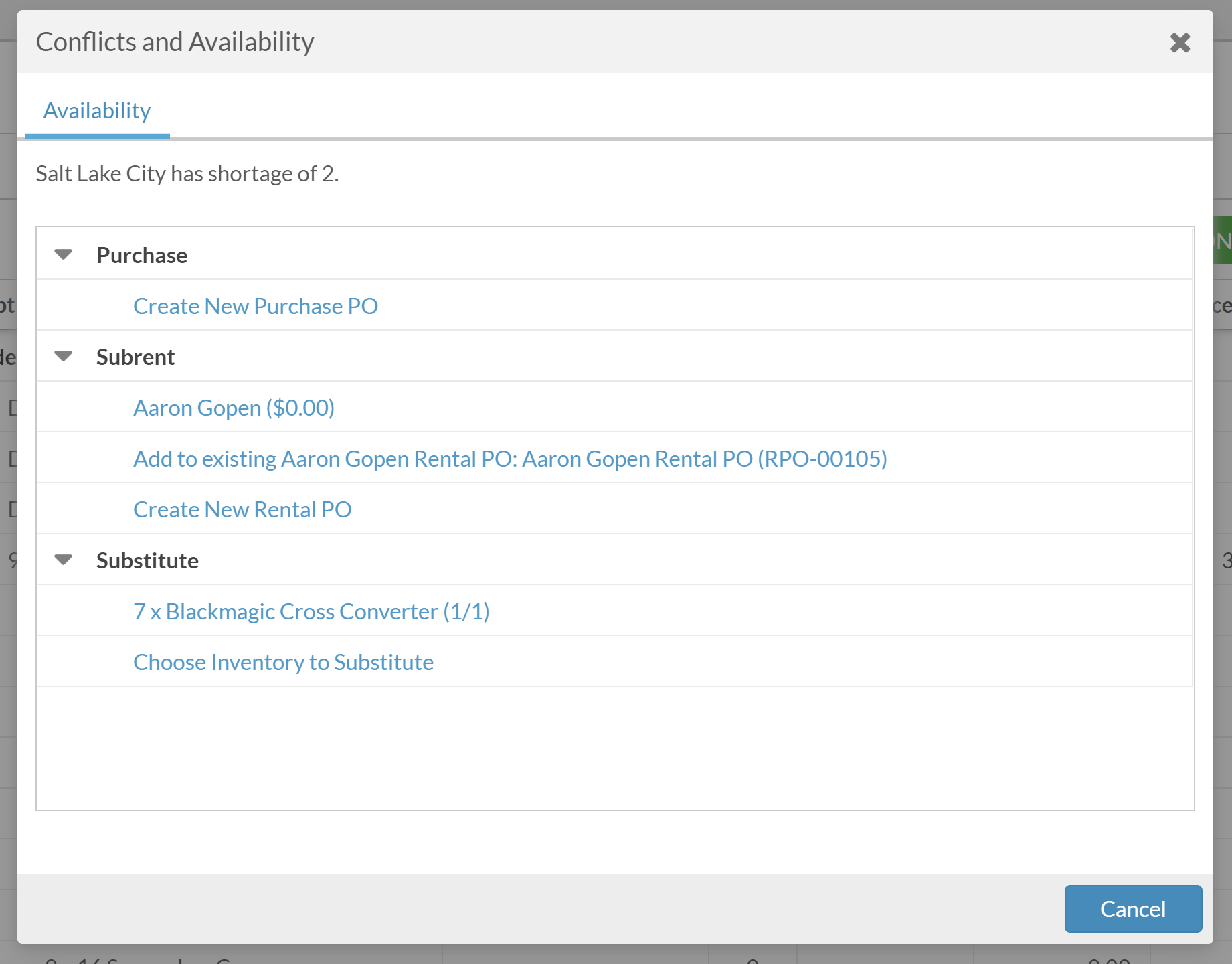
In addition, our development team is at work at bringing over more functionality with this feature from Flex4. While I'm not able to share ETAs or expected release dates, I can say that work is actively progressing on these features, and we should expect to see them introduced in a future update very soon.
Be on the lookout for our newsletters! In addition to existing news and updates, we're also giving sneak-peeks at future feature releases, as well as more specific timelines, whenever we're able.
Happy Flexing!Comment actions -

Hi Thomas,
You're right it isn't quite the same full implementation as in Flex 4. It's also split across 2 sections, Schedule and Conflicts. I'm assuming that the detailed information once you click on a specific date in the Schedule window si to be implemented soon as without this, just the conflict resolution part is fairly useless.
Can someone from Flex please confirm that the full implementation is on the cards, hopefully fairly soon ;-)
Thank you!
-
Hey Thomas!
That's strange! I've confirmed internally the feature is live and available for customers. Try reloading the browser you use to access Flex, as well as restarting your computer. You may notice a dialouge on reload stating "This application has an update, reload?" - be sure to click Yes. (see below)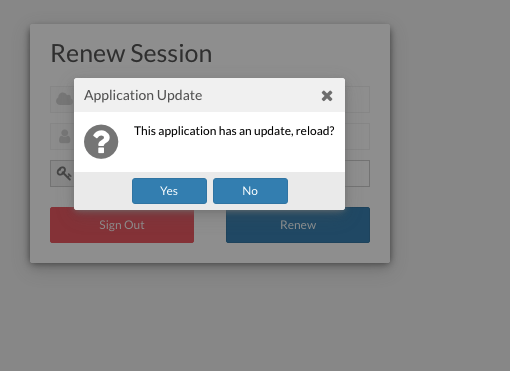
If you're still seeing "Not yet implemented" I'd recommend clearing your browser's cache, and if the issue persists, reach out to support@flexrentalsolutions.com to open a ticket, and we'll see what's going on!
-
Aaron,
I believe I've exhausted all readily available options, but the feature is still not working. I've tried both Windows and Mac platforms. I've tried Edge, Chrome, and Safari browsers, each with all histories and caches cleared. I've made sure each session is running version 0.27.35.
I will reach out to Flex Support as suggested and report back an details discovered to fix the issue.
Thanks.

Please sign in to leave a comment.
Comments
7 comments