
Scanning item with permanent contents checks off same items but on different inventory items

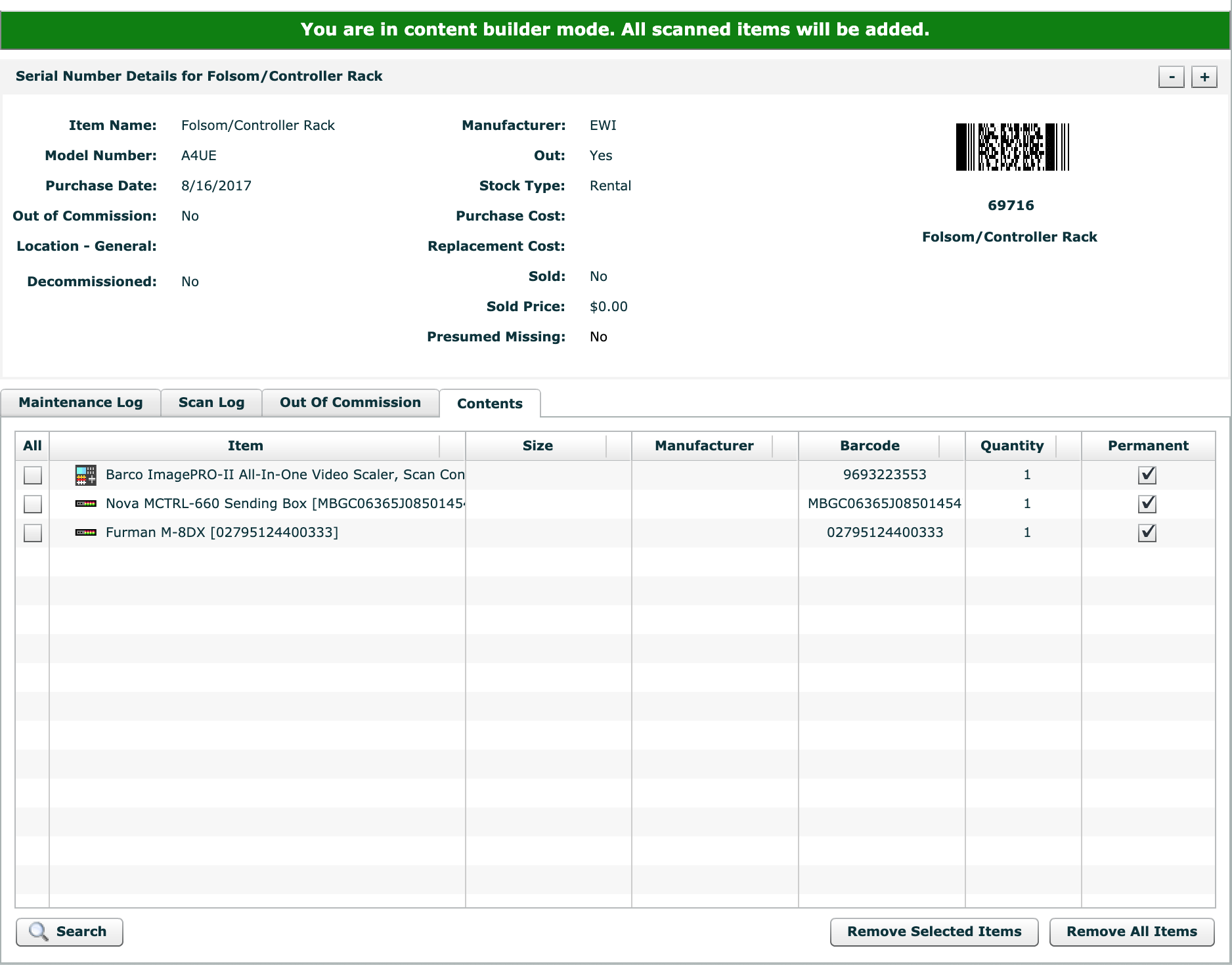
We have Furman power conditioners which are serialized and associated to serialized cases permanently through the content builder.
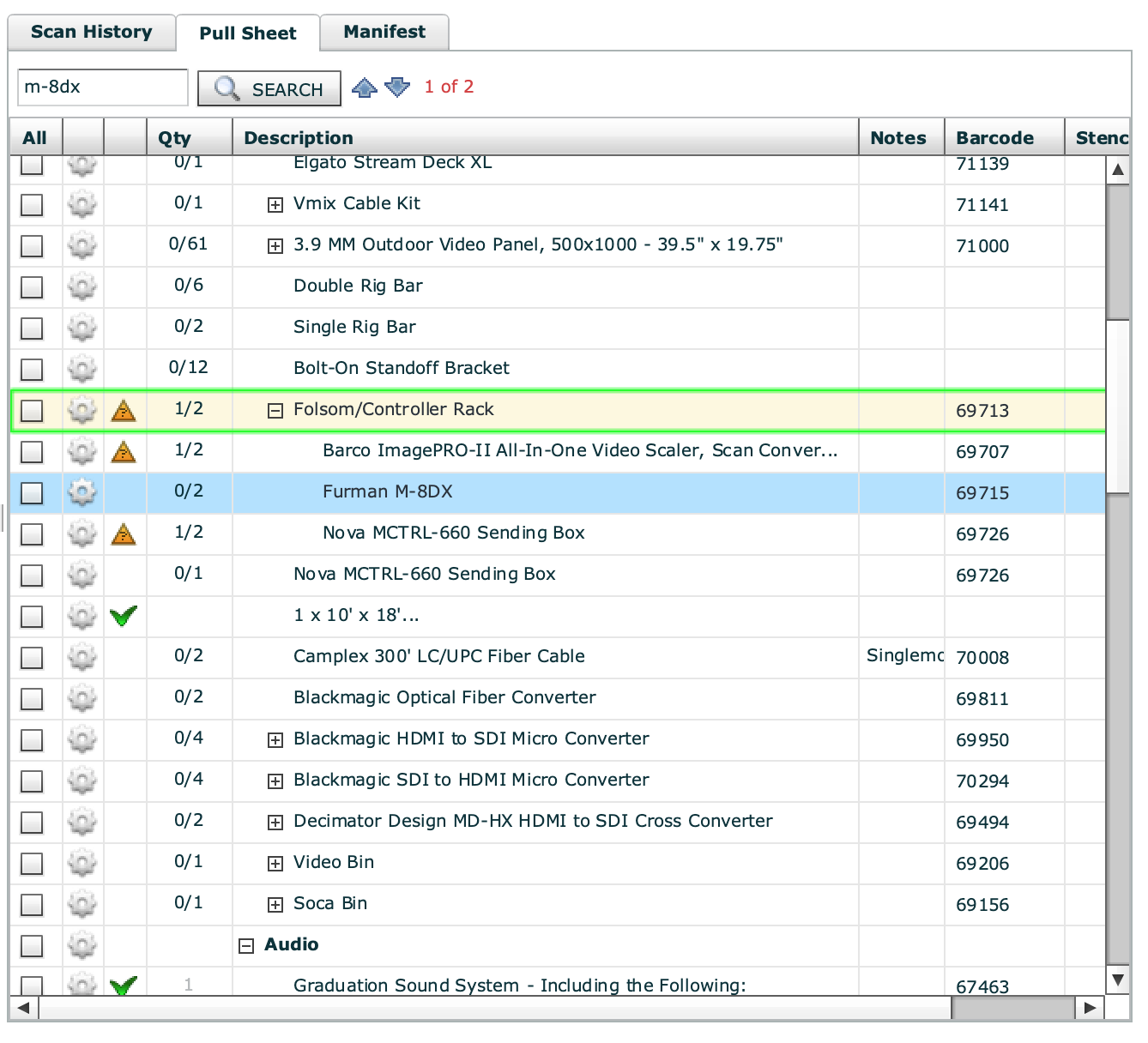
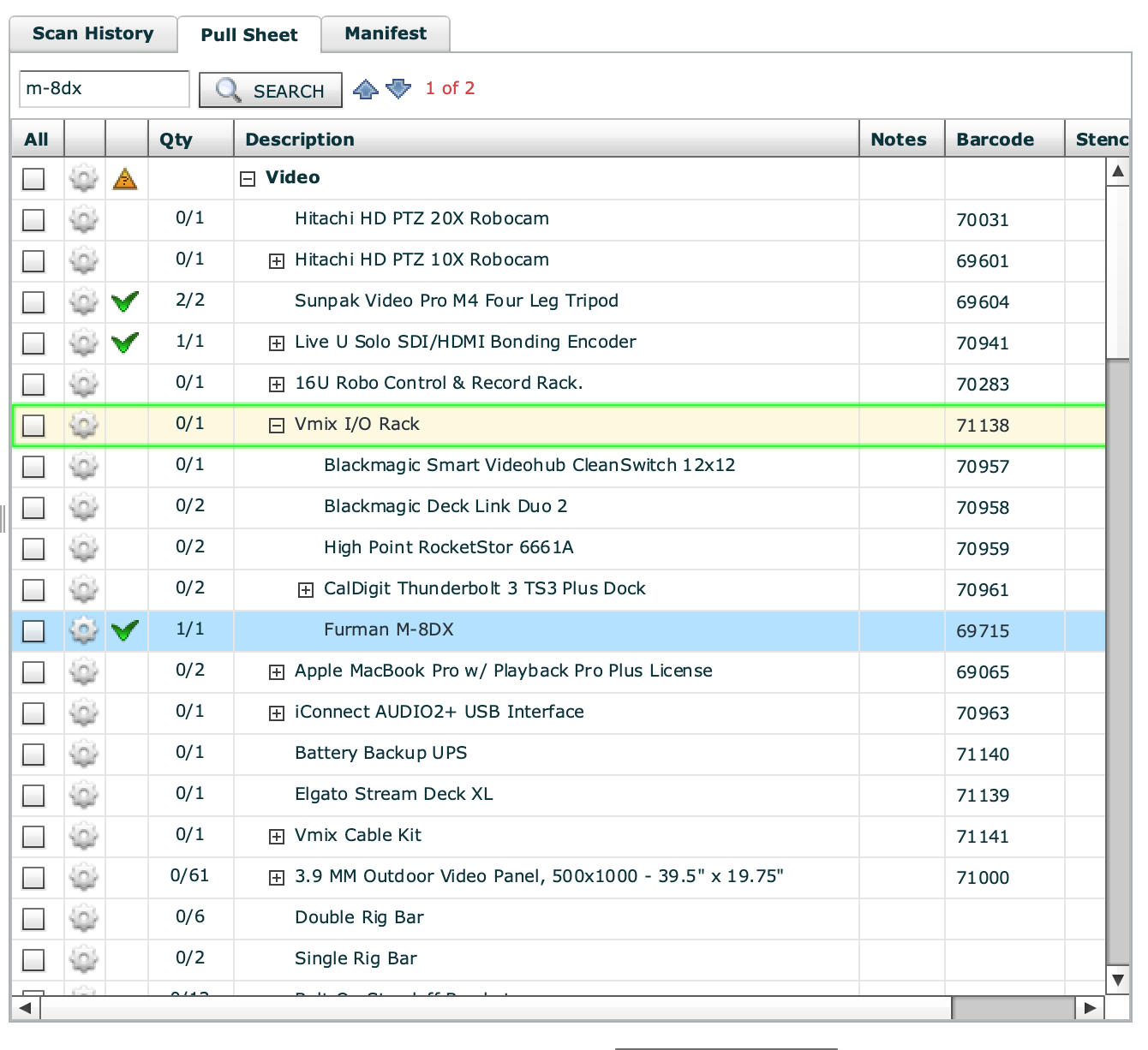
When scanning the case on the prep screen all the contents are scanned and checked on the pull sheet but not all items are associated to the correct item on the pull sheet. Is there any workaround to prevent this functionality? It gets really confusing looking at the pull sheet and seeing check marks on items are that are associated to the wrong case.
I have added some screenshots to show what I mean.
FOLSOM Rack is scanned but the furman is checked on the Vmix rack when it is associated to the folsom rack through the content builder.
-

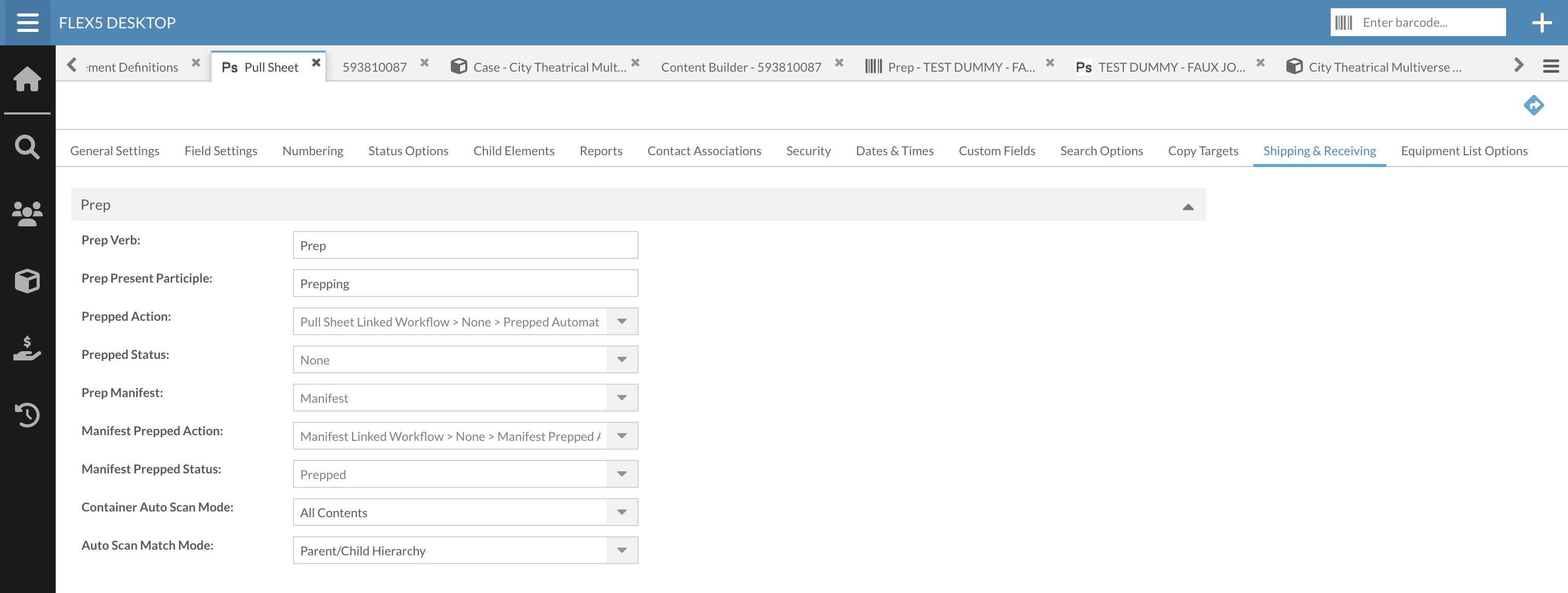
Hey Kyle, this is a common issue. Scanned out manifest items being linked to the intended pull sheet items can be tricky and sometimes impossible. You can perhaps improve the chances of intended linking by adjusting the administrative setting below, but you're still going to have issues likely. You can try to adjust the match mode and see if it yields a bit more accuracy for how you setup your Pull Sheets.
Projects > Project Elements > Pull Sheet > Shipping & Receiving tab > "Auto Scan Match Mode" drop-down
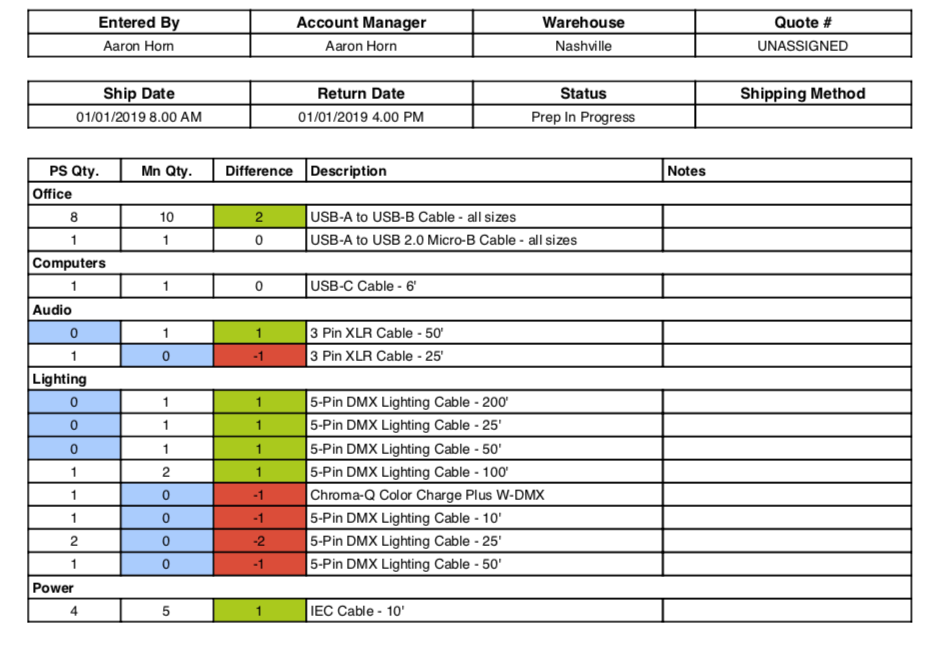
Alternatively, the solution I usually offer my clients is a custom report that consolidates and compares the Pull Sheet and Manifest. It's a bit of a different approach, but most important for many clients is to make sure they got the appropriate quantities of everything. Using this report, you wouldn't care as much about how the Prep Screen was applying check marks. You can run the report at any point in the scan process and see how things are being fulfilled. It's consolidated and sorted by how your inventory tree is sorted. Below is an example image. It can be customized to your needs.
Additionally, you could also consider changing your Pull Sheet strategy and not build it to represent how your cases are built. Things like your power conditioners could be eliminated since your permanent contents and hopefully your storage requirements are providing the accountability to ensure they go for the job. This is a bigger SOP change and requires thinking through some details, but it makes for a cleaner and more efficient Pull Sheet.
Obviously there are drawbacks to any strategy. I enjoy helping clients navigate these waters and find what works best for them. Let me know if I can be of service or if you're interested in a custom report.
Aaron Horn
Consultant (Flex endorsed)
aaronjhorn@gmail.com
615.335.1225 -
".... 3 Years Later"
I have "Container Auto Scan Mode" set to "All Contents" and "Auto Scan Match Mode" set to "Parent/Child Hierarchy" for my pull sheets.
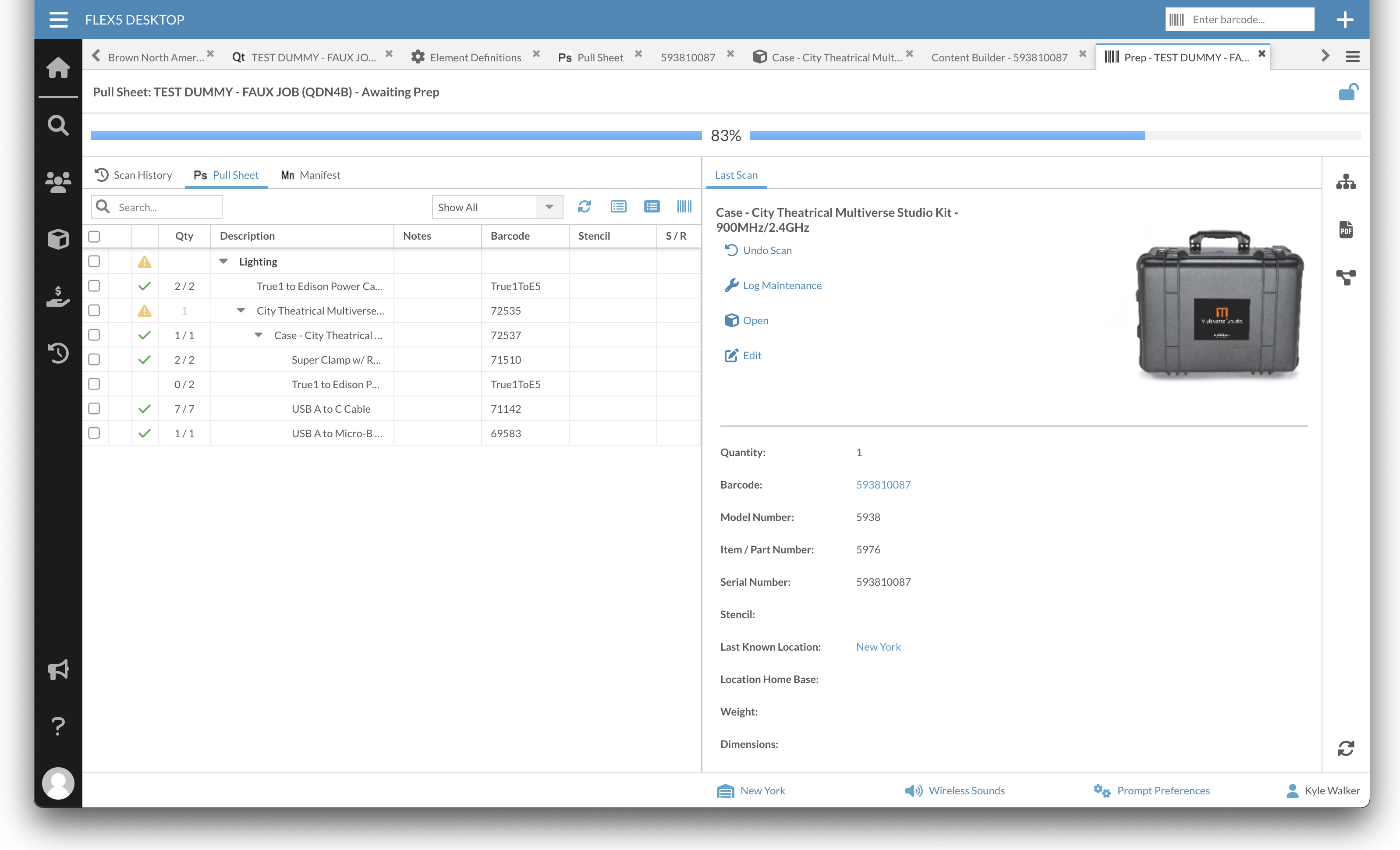
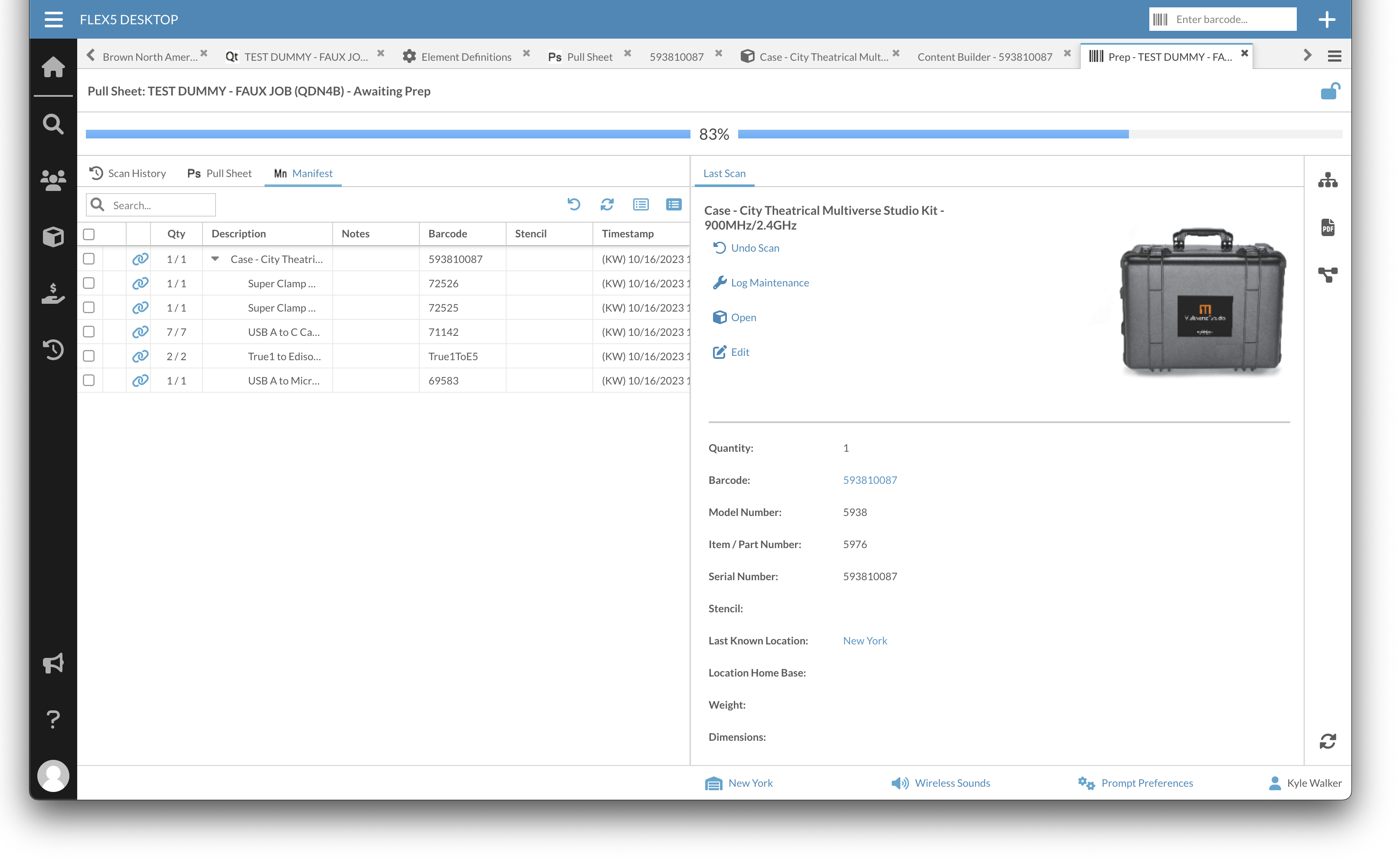
I am running into an issue. The item in question is barcode "True1toE5" which I have "2" scanned into a container. The issue is that this "True1toE5" cable needs to be the first listed in the contents hierarchy or else it doesn't get checked off correctly. Is this the intended behavior or is this a bug. I do not remember this behaving this way. Attachments below.
Good - Case scanned and True1toE5 is checked correctly
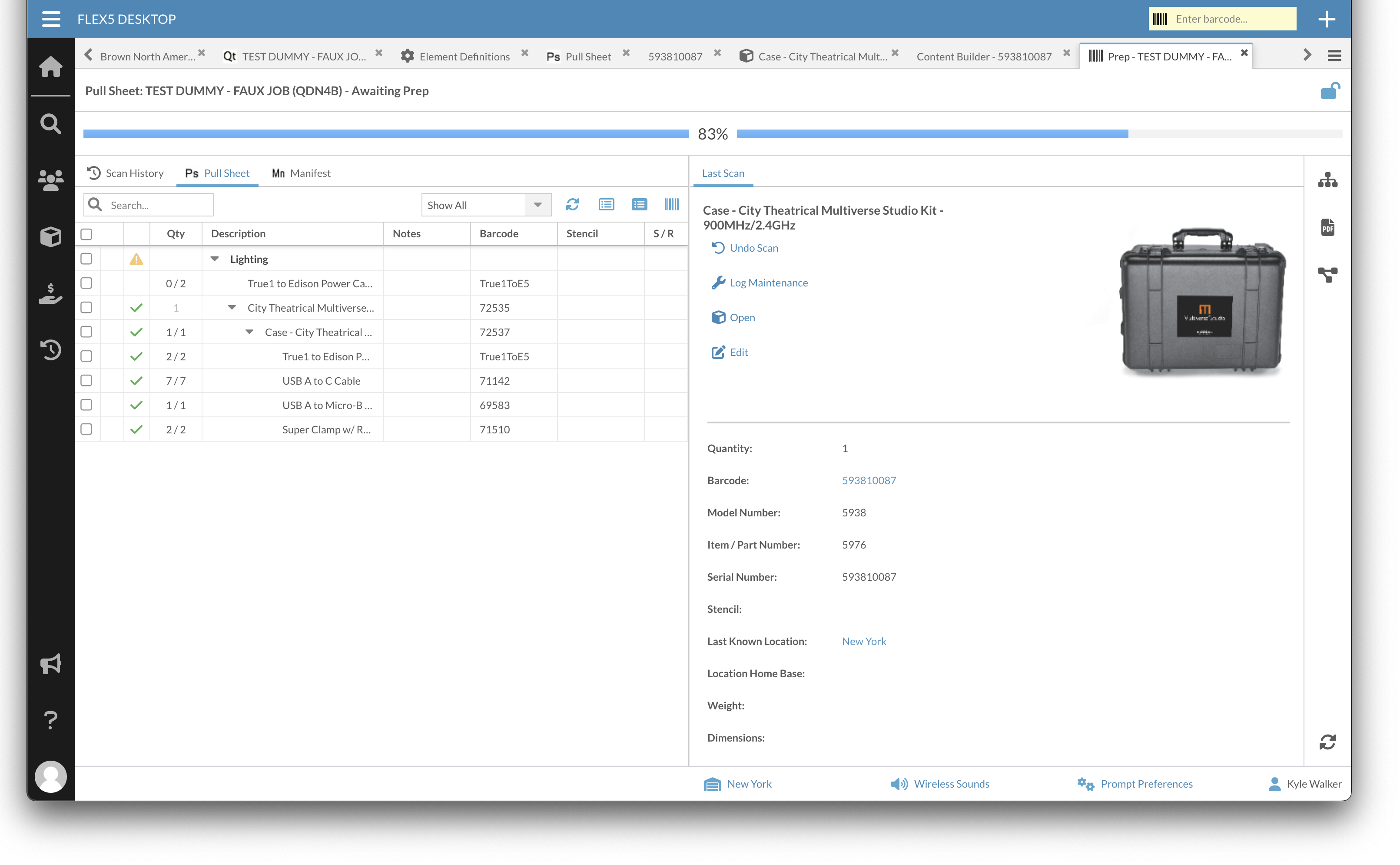
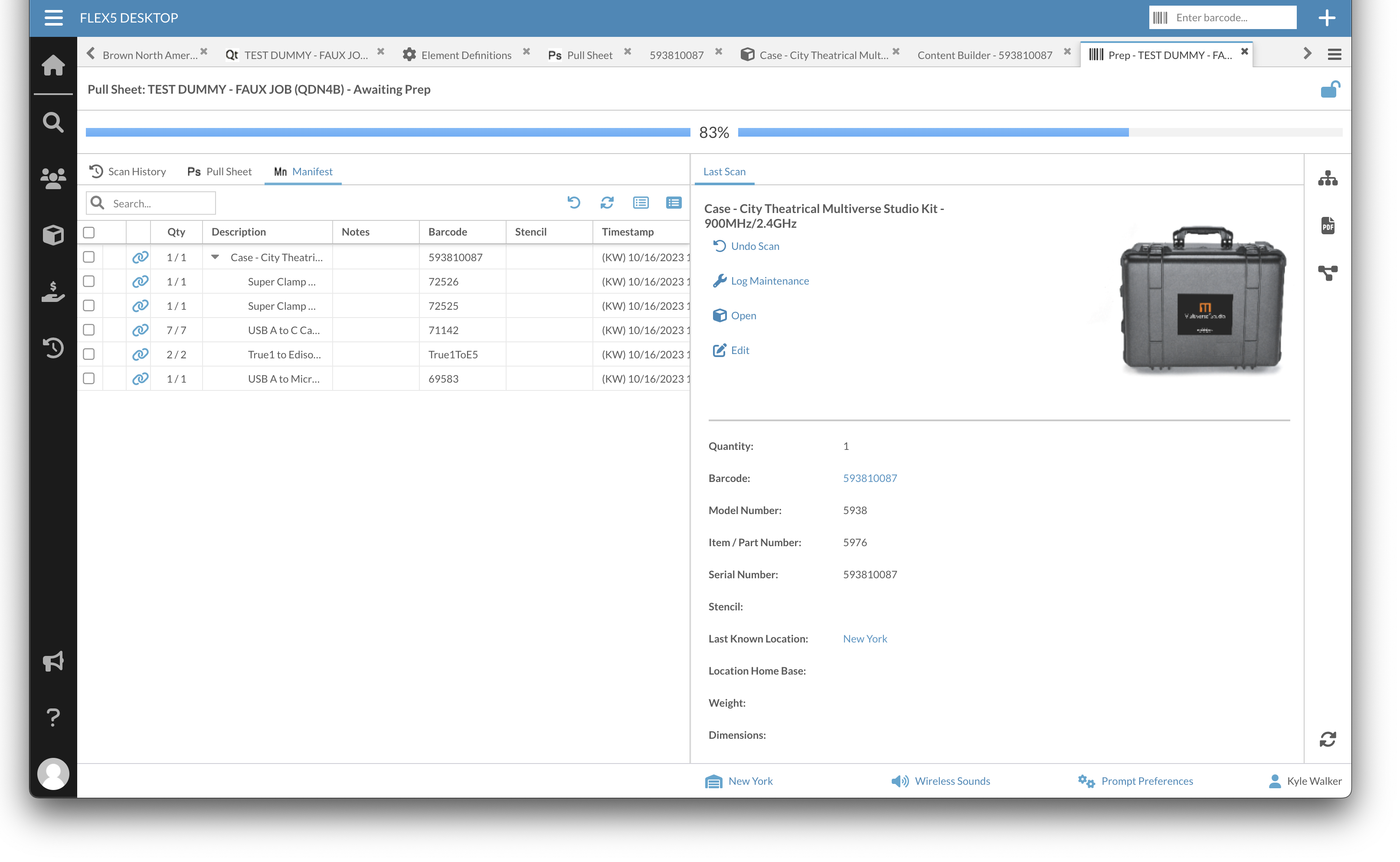
Bad - Case scanned and True1toE5 is checked outside the container when not first in contents list
-

Did anyone help you find an answer? We have the same problem, across a whole bunch of inventory items. More similar to the Folsom question from the initial post, but I might play with the position of items in a the package to see if it resolves the problem, like in your more recent post with True1toE5.

Please sign in to leave a comment.
Comments
5 comments