
See Crew Info on Quote

It would be fantastic to be able to quickly see who is assigned to a position directly on the quote page without having to open the crew call. I don't need access to all the info, but simply being able to see a name would be very helpful!
-
Official comment

I agree that this would be extremely beneficial. This would make an excellent feature request. The best way to get great ideas like this in front of decision-makers for consideration for development is to submit a ticket to support@flexrentalsolutions.com or use the send feedback feature available in Flex5. Great feedback such as this in the form of a support ticket can be forwarded to the Flex5 product team for review.
Comment actions -

Hello everyone ...
I tell you how we do it in case it helps you ....
In our quotation work view, we have added a new column... You can do this in the view editor inside the QUOTE element, inside the ELEMENT DEFINITIONS. In views, you can configure the columns that appear in your quotation.We have added a column with the information "Subrental Vendor" and here we put the name of the person assigned to that position, which is someone you have added in contacts. It is not the best way, but at a glance you can see who you have assigned. And we also use it for the "RPO Orders"... at a glance, you can see if you are subletting any material from your material list to someone.
I hope it helps you...!!!
-

Hey Anneke Davis,
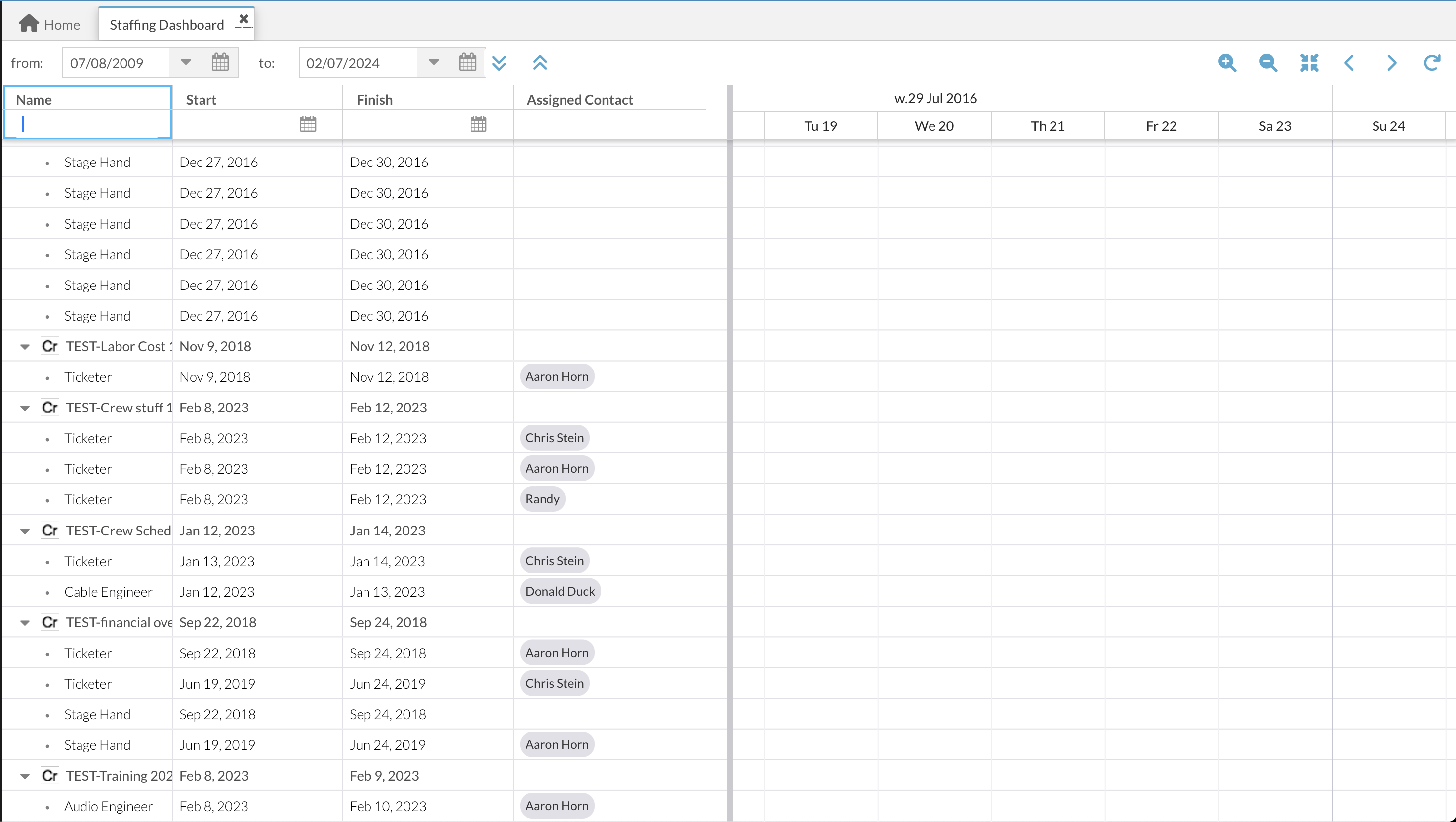
I don't believe it adds any additional fields to Quote views. However, on the "Staffing Dashboard", the primary filter is a date range. But within that range, you can filter by job, or simply scroll to the job. There you can see the job with the assigned people for each labor role. Here's a sample screenshot.

Please sign in to leave a comment.
Comments
4 comments